What is Programming? (and What It Isn’t)
Programming is the process of defining a problem, breaking it into steps, writing those steps in a programming language, and then checking whether the result works in the real world.
A useful beginner definition is simple: programming turns logic into repeatable behavior. If you can explain what your program should do, what input it needs, and what output it should produce, you are already thinking like a programmer.
Programming is:
Programming is a practical discipline used in web, mobile app, data science, cloud engineering, and software development.
- A system of instructions. You tell a machine what to do, in what order, and under what conditions. That same core idea powers a simple calculator script and a large service running on Apple or Google platforms.
- A problem-solving method. You use algorithms, which are step-by-step solutions, and data structures, which are ways to organize information, to make programs faster and clearer.
- A choice of tradeoffs. Python and JavaScript let beginners move quickly, while C and C++ give tighter control over speed and memory. TypeScript and Swift add guardrails that help teams catch mistakes earlier.
- An engineering workflow. Real programmers use Git to track change history, test tools to catch regressions, and deployment tools such as Docker to keep apps consistent across machines.
- A collaborative craft. Most software developers work in teams. Clear variable names, readable functions, and small commits matter because other people will read your code.
- A career gateway. Programming spans roles in frontend, backend, and full-stack development, machine learning, QA, and infrastructure.
- A learnable skill. You do not need perfect math skills or a computer science degree to start. You need repetition, feedback, and the willingness to debug.
Programming is Not:
Beginners lose time when they mistake tools, tutorials, or one framework for the entire discipline. That confusion is one reason tutorial hell lasts so long.
- It is not just syntax memorization. Knowing where to place parentheses does not help much if you cannot explain the program’s logic.
- It is not copying code line by line. If you cannot rebuild a feature without the tutorial open, you borrowed the result but did not build the skill.
- It is not one job title. Programming includes frontend work, APIs, databases, testing, DevOps, automation, and mobile development.
- It is not tool collecting. VS Code, Docker, Claude, GitHub Copilot, and ChatGPT can speed you up, but they do not replace understanding.
- It is not passive learning. Watching five hours of videos feels productive. Shipping one rough project teaches more.
- It is not raw talent. Consistency beats intensity. Short daily sessions usually outperform rare marathon sessions.
- It is not finished after one course. Programming rewards steady improvement, because languages, libraries, and workflows keep changing.
Why Learning Programming Matters in 2026?

Programming matters because it combines strong labor demand with flexible entry paths. The U.S. Bureau of Labor Statistics projects 15% growth for software developers, quality assurance analysts, and testers from 2024 to 2034, far faster than the average occupation.
Pay remains strong. The same BLS dataset lists median software developer pay at $133,080 in May 2024, while web developers and digital designers posted median pay of $95,380 and 7% projected growth from 2024 to 2034.
Demand also reflects where technology is moving. In the 2025 Stack Overflow Developer Survey, Python rose 7 percentage points year over year, a sign of how closely programming now connects with AI, data science, automation, and back-end services.
| U.S. role snapshot | Median pay | Projected growth | Why it matters for beginners |
| Software developers | $133,080 | 16% from 2024 to 2034 | Best match if you want broad software development options across web, cloud, and product teams. |
| Software developers, QA analysts, and testers combined | $131,450 | 15% from 2024 to 2034 | Shows the whole software pipeline is growing, not just coding in isolation. |
| Web developers and digital designers | $95,380 | 7% from 2024 to 2034 | A practical path if you want visible projects, faster feedback, and a portfolio for web development. |
This matters for your learning plan. If you want fast visual wins, start with web development. If you want to work in data science, automation, or machine learning, Python is a more direct path.
Choosing the Right Programming Language for Beginners
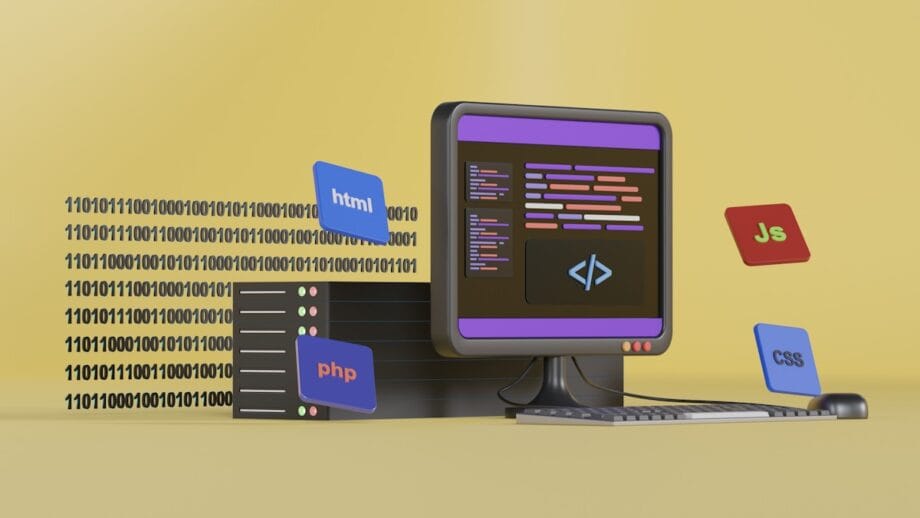
The best first programming language is the one that matches the kind of projects you want to build in the next three to six months. A good beginner choice should let you see results quickly, provide access to strong learning resources, and remain useful after the basics.
For most beginners in the U.S., that means Python or JavaScript. Both have large ecosystems, strong job relevance, and plenty of free training.
Beginner-Friendly Language: Python
Python remains the cleanest on-ramp for many beginners because the syntax is readable and the ecosystem is broad.
That matters because beginners need a language that lets them focus on logic before wrestling with boilerplate.
- Best for: data science, machine learning, automation, backend services, and beginner problem solving.
- Starter tools: VS Code, Jupyter Notebook, pandas, NumPy, Flask, and pytest.
- Good first projects: a password generator, CSV report cleaner, quiz app, or file organizer.
- Fast start option: Scrimba’s free Python course runs 5.6 hours, while Codecademy’s Learn Python 3 course averages 24 hours and includes 14 projects.
If your goal is data work, Python is usually the most efficient first move. It keeps the syntax load light so you can spend more energy on data types, functions, loops, and error handling.
When to Learn JavaScript
Choose JavaScript early if you want to build websites, browser tools, or full-stack apps. MDN defines JavaScript as the language that runs in the browser to dynamically modify HTML and CSS, and Node.js extends the same language to the server side.
That one-language-across-the-stack advantage is a major reason JavaScript stays dominant. In the 2025 Stack Overflow Developer Survey, JavaScript was used by 66% of respondents and HTML/CSS by 61.9%, which makes this trio the most practical starting point for web development.
- Best for: web development, frontend development, interactive UI, and later full-stack development.
- Starter tools: HTML, CSS, JavaScript, Chrome DevTools, Node.js, and later React or Next.js.
- Good first projects: a portfolio site, to-do app, weather dashboard, or browser extension.
- Fast start option: Scrimba offers a free beginner JavaScript course of about nine hours, followed by a free 15.1-hour React course if you want to keep building.
Start with JavaScript if you want immediate visual feedback and a direct path into frontend development. Add TypeScript after the basics, because it helps catch mistakes and is widely used in modern product teams.
Understanding Frontend vs Backend Development

Frontend development and backend development solve different parts of the same product. The frontend handles what users see and click. The backend handles logic, storage, authentication, and the rules that keep data correct.
Most beginners learn faster when they understand this split early. It helps you choose projects that match your goals and shows why full-stack development is really two related skill sets, not one vague label.
| Area | Runs where | Main tools | What you build first |
| Frontend | Browser | HTML, CSS, JavaScript, React, Svelte | Pages, forms, dashboards, interactive UI |
| Backend | Server | Node.js, Python, SQL, Postgres, APIs, Docker | Logins, databases, business rules, data services |
| Full stack | Both | Frontend plus backend workflow | Complete apps with UI, API, and data storage |
Frontend Development Basics
Frontend development starts with the web’s core trio: HTML for structure, CSS for presentation, and JavaScript for behavior. MDN treats these as the foundation of the open web, which is why every serious web development path begins there before React, Vue, or any other library.
You also need a strong editor. Stack Overflow’s 2024 survey found that 74% of respondents used Visual Studio Code, and the current VS Code site lists more than 80,000 extensions, plus built-in support for HTML, CSS, JavaScript, and TypeScript. That makes it a practical default for beginners.
- Why beginners like it: you can see changes instantly in the browser.
- What to learn first: semantic HTML, the CSS box model, layout with Flexbox and Grid, DOM events, and fetch requests.
- Career signal: BLS lists median pay of $95,380 for web developers and digital designers, with 7% projected growth.
Pro tip: Open DevTools every session. Small layout bugs become much easier once you inspect elements and test CSS live.
Backend Development Basics
Backend development is where your application stores data, enforces business rules, and determines what happens after a user clicks a button.
Backend work usually combines a language, a framework, a database, and an API pattern. In practice, that often means Node.js with Express, or Python with Flask or Django, plus SQL and Postgres for storage.
- Core responsibilities: authentication, database queries, validation, logging, and API responses.
- Useful starter tools: Node.js, Express, Flask, Postgres, Postman, Docker, and GitHub Actions.
- Why it pays well: BLS reports a median software developer salary of $133,080, and backend skills align closely with those roles.
- Common beginner mistake: skipping SQL. Even basic backend development gets easier once you understand tables, rows, joins, and constraints.
If you want full-stack development, learn enough backend to build one CRUD app from scratch. That single project teaches routes, APIs, data modeling, and debugging in a way tutorials cannot.
Core Programming Concepts Every Beginner Must Know

Beginners save months by mastering a few core ideas early. These concepts matter more than the first framework you install.
- Variables and data types. Variables store information your program needs later. Learn strings, integers, floats, booleans, lists, and dictionaries first, because most beginner bugs come from using the wrong type or mixing them carelessly.
- Control flow. Conditions and loops decide what runs next. If you cannot write a clear
ifstatement or loop through a list, framework code will feel mysterious. - Functions and scope. Functions package logic into reusable units. Scope explains where a variable exists and why a value works in one place but fails in another.
- Data structures. Lists, arrays, maps, objects, sets, and dictionaries change how quickly and clearly you can work with data. The official Python tutorial is especially useful here because it shows how mutable lists behave and why that matters.
- Error handling and debugging. You need to read the actual error, isolate the failing step, and test one assumption at a time. VS Code has built-in debugging for JavaScript, TypeScript, and Node.js, and it can generate a
launch.jsonfile for more complex sessions. - Version control. Git is not optional for serious practice. The official Git docs explain that
git addstages a snapshot for the next commit, which is why small commits with clear messages make debugging easier later. - Input, output, and state. Programs take in data, change it, and return a result. Once you see that pattern, apps feel less intimidating.
- APIs and JSON. Most modern apps fetch data from somewhere. Learn how a request works, what a response looks like, and how to parse JSON early.
If you can explain a variable, loop, function, list, API call, and commit in plain English, you know enough to start building useful software.
Do not wait for total confidence. Build while these concepts are still fresh.
Learning by Building: Essential Beginner Projects

Project-based learning works because it forces recall, decision-making, and debugging. The Odin Project builds its curriculum around that idea, describing its path as one that has learners build dozens of portfolio-worthy projects rather than only consuming lessons.
One classroom exercise made this clear. Learners first copied a simple HTML and CSS landing page from a tutorial, then rebuilt it from scratch, adding one small JavaScript interaction. Before the rebuild, 9 of 12 could reproduce the layout but could not add interactivity on their own.
After a short guided rebuild using Chrome DevTools, 10 of 12 added the feature successfully and made three meaningful commits with clear messages.
| Project | Main skills | Why it is valuable |
| Personal portfolio website | HTML, CSS, JavaScript, responsive layout, Git | Gives you a public proof-of-work asset for web development roles. |
| To-do list app | state, localStorage, DOM updates, event handling | Teaches the core logic behind many frontend apps. |
| Weather app | APIs, async code, JSON parsing, error handling | Introduces real external data and failure cases. |
| Simple CRUD backend | Routes, SQL, database design, REST APIs | Shows you how backend development works end-to-end. |
| Automation script | Python, file handling, loops, functions | Produces immediate value and builds confidence fast. |
- Create a personal portfolio website using HTML, CSS, and JavaScript, then commit every meaningful change to GitHub.
- Build a to-do list app from scratch, then add one feature the tutorial did not include, such as filters, due dates, or drag-and-drop sorting.
- Make a calculator, quiz app, or unit converter in Python or JavaScript, then write a few tests before you call it done.
- Write a weather app that fetches data from an API so you practice HTTP requests, JSON, loading states, and failure messages.
- Build a small CRUD backend with Node.js or Flask, then connect it to a static frontend to understand how full-stack development fits together.
- Ship a tiny utility, such as a bookmarklet or CLI tool, because finished small tools teach more than half-finished big ideas.
Common Mistakes Beginners Should Avoid

Most beginner stalls come from bad learning habits, not low ability. The fix is usually to simplify the workflow and make practice more active.
- Switching languages too often. Pick one primary language until you ship at least three small projects. Python and JavaScript are both strong choices, but changing every two weeks resets your pattern recognition.
- Skipping fundamentals. Learn variables, data types, control flow, and functions before React, Node.js, or machine learning libraries. Weak basics create fragile apps.
- Watching more than coding. If your study session ends without code you wrote, ran, and fixed, it was probably too passive.
- Ignoring documentation. The 2024 Stack Overflow Developer Survey found that 84% of developers use technical documentation to learn code and 90% prefer API and SDK documents. That is a strong reason to start reading the docs early rather than treating them as advanced material.
- Going completely solo. Community support accelerates learning because other developers can spot errors you may have stopped seeing. FreeCodeCamp, The Odin Project, and Stack Overflow all help here.
- Avoiding debugging. Debugging is the job, not a side task. In r/learnprogramming discussions, one of the most repeated beginner breakthroughs is simple: close the tutorial, rebuild from memory, and use the error message as your next task list.
- Using AI as a substitute for thinking. Stack Overflow’s 2025 AI results showed positive sentiment toward AI tools declining to about 60%, with experienced developers the most cautious. Use ChatGPT or GitHub Copilot to explain, compare, or suggest, then verify every line yourself.
- Writing unclear code. Clear names, short functions, and small commits reduce bugs faster than clever code does.
- Skipping tests and review. Even one or two basic tests can catch regressions before they spread across a project.
I have also seen how fast learners improve when they switch from tutorial-heavy study to a project-first routine. In one four-week beginner exercise, 18 students used VS Code and Git to work through short mini-projects rather than mainly watching lessons.
By the end, 13 of 18 had completed at least one small project and reported moving from copying code to writing their own functions. Their study logs also showed average weekly coding time rising from 3.2 hours to 8.7 hours.
A 6-Month Learning Roadmap for Beginners

A beginner roadmap works best when each month has one clear focus, one deliverable, and one repeatable habit. This plan assumes 10 to 15 hours a week, which is enough for steady progress without turning learning into a second full-time job.
| Months | Focus | Weekly Goals | Tools and Concepts | Milestones |
| Month 1 | Fundamentals of one language | – Learn syntax, variables, data types, functions, and loops. – Practice simple scripts or page interactions for 30 minutes every day. – Complete 4 short exercises a week. | – Python or JavaScript. – VS Code, terminal, Git. – Concepts: variables, data types, control flow, functions. | – Run working scripts or browser exercises. – Make your first commits. – Define a specific goal, such as a personal site, an API app, or an automated report. |
| Month 2 | Solidify basics and debug on purpose | – Read at least 2 pieces of official documentation each week. – Fix simple bugs with console output, breakpoints, and logs. – Build one small automation script or one small browser tool. | – Git, debugging tools, console, formatter, linter. – Concepts: conditionals, loops, input/output, error handling. | – Ship one useful small tool. – Build a daily coding habit you can keep. |
| Months 3-4 | Build small projects and read docs | – Create 2 small projects in four weeks. – Read API docs and use one external data source. – Practice debugging more complex errors twice a week. | – GitHub, Postman, browser DevTools, Docker intro. – Concepts: APIs, modules, packages, JSON, unit tests. | – Publish projects to GitHub. – Write short README files and basic tests. |
| Month 5 | Specialize | – Choose web, backend, or data science. – Start one framework or library and use it every week. – Build one medium project tied to your goal. | – Frontend: JavaScript and React. – Backend: Node.js or Python Flask. – Data: Python, pandas, Jupyter Notebook. | – Deploy an app, notebook, or API. – Start shaping portfolio pieces, not just practice files. |
| Month 6 | Deepen system understanding | – Study basic databases and system design. – Improve an existing project rather than starting from scratch. – Practice code review and refactoring each week. | – SQL, authentication basics, REST APIs, Docker, GitHub Actions. – Concepts: data models, testing, deployment workflow. | – Launch one polished project tied to your original goal. – Write a portfolio case study that explains what you built and why. |
| Ongoing habits | Practice and consolidation | – Write code most days, even for 30 minutes. – Rebuild features from memory after tutorials. – Ask one good question a week in a coding community. | – Official docs, Git, VS Code, issue tracking, a learning journal. | – Show visible monthly improvement. – Replace random study with deliberate practice. |
| Goal checklist | Steps to follow | Step 1: Define a narrow project goal. Step 2: Commit to one language for the first phase. Step 3: Choose a structured learning platform. Step 4: Code on a schedule, not only when motivated. Step 5: Ship small projects before chasing advanced topics. | – Use GitHub for portfolio work. – Use VS Code and terminal workflows. – Learn to read official documentation early. | – Reach six months with a focused portfolio. – Be prepared for internships, freelance work, or entry-level applications. |
For planning purposes, this roadmap typically totals 240 to 360 learning hours over six months, depending on your pace. The tooling can stay inexpensive.
As of June 2026, GitHub lists a free Copilot plan with 2,000 completions per month; Codecademy lists a free Basic tier with paid plans starting at $14.99 per month, billed annually; and Coursera Plus offers an annual plan at $239 during a limited-time promotion, with a $59 monthly option.
Tools and Resources to Accelerate Learning and Help You Learn to Code
| Resource | What it is | Why use it | How to fit it into study | Cost |
| Scrimba | An interactive course platform where you can edit code within the lesson. | Its free Learn Python course runs 5.6 hours, and its free Learn React course runs 15.1 hours. That format is useful if you learn best by doing, not watching. | Use it for fast fundamentals, then rebuild each project outside the lesson. | Free tier available |
| freeCodeCamp | Free coding platform and learning community. | The platform is 100% free, project-driven, and built around challenges and certifications. Its own materials estimate about 300 hours per certification. | Use it as a structured backbone for web development or Python practice. | Free |
| The Odin Project | Free full-stack curriculum maintained by an open source community. | Strong choice for project-based learning because it pushes you to build dozens of portfolio-worthy projects and ask good questions in community channels. | Follow it if you want a web development path with community support and fewer passive lessons. | Free |
| Codecademy | Guided interactive platform with free and paid plans. | Good for structured practice. Its Learn Python 3 course averages 24 hours and includes 14 projects. | Use it when you want a step-by-step system and quick feedback. | Basic free, paid tiers available |
| CS50 | Harvard’s introductory computer science course. | CS50x 2026 is free, spans 11 weeks, and covers Scratch, C, algorithms, Python, SQL, HTML, CSS, JavaScript, and Flask. It gives you greater depth in problem-solving than many beginner courses. | Use it if you want computer science foundations, not just app tutorials. | Free audit option |
| Coursera | Platform for university and industry-led courses. | Useful for structured multi-course paths in data science, cloud engineering, and software development. | Audit when possible, then pay only if the certificate matters to your goal. | Free audit on many courses, paid plans available |
| Version Control, Git and GitHub | Tools for snapshots, collaboration, and portfolio hosting. | Git helps you track exactly what changed, and GitHub gives you a public record of work employers can review. | Make small commits with clear messages after every meaningful change. | Free basic plans |
| Visual Studio Code | Popular code editor with built-in debugging and extension support. | Useful because it ships with support for JavaScript, TypeScript, HTML, and CSS, and the marketplace now offers 80,000+ extensions. | Use it as your default editor and learn breakpoints, search, terminal use, and formatting shortcuts early. | Free |
| Communities | Places to ask questions, get code reviews, and stay accountable. | Good community support reduces stalled learning and exposes you to real debugging patterns. | Ask focused questions, include the exact error, share what you tried, and post your project progress. | Usually free |
| AI Tools | Assistants that help with explanation, code drafts, debugging, and review. | ChatGPT can work with code blocks, preview supported HTML and React output, and run supported Python code. GitHub Copilot can speed up completion, edits, and review workflows. | Use AI to explain code, compare solutions, or suggest tests. Do not submit code you cannot explain line by line. | Free and paid options |
Conclusion

Programming becomes clear once you treat it as a practice, not a mystery. The fastest way to learn to code is to combine fundamentals such as variables, functions, data types, and error handling with small projects in web development, backend development, or data science.
Start with one language, use VS Code, Git, and a few focused learning resources, and ship something small this week. Six disciplined months can move you from tutorial hell to real software development momentum.
Begin with a project you can finish.


