Blackmagic Design Unveils Version 3.3 of Blackmagic Camera App for iOS
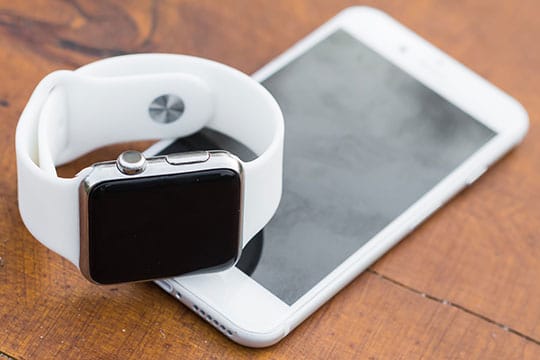
Blackmagic Design has announced the launch of version 3.3 of its Blackmagic Camera application for iOS, introducing the ability for users to operate their iPhone cameras remotely using an Apple Watch.
This update incorporates ATEM camera control, enabling iPhones to function as live studio cameras when connected via the Blackmagic Camera ProDock.
The newly developed Apple Watch companion app empowers users to initiate and halt recordings, monitor audio levels and framing, as well as adjust settings—entirely from their wrist.
This innovative feature is particularly advantageous for scenarios where an iPhone is mounted beyond arm’s reach or where interaction with the device might lead to camera shake.
Moreover, users can modify lenses, manage zoom, and fine-tune settings—including exposure, focus, and LUTs—directly from their watch. Installation of the app is facilitated through the Watch app on the iPhone.
Studio Use Enhancements
Significantly, the update enhances live production capabilities. When the Blackmagic Camera ProDock connects to an ATEM Mini switcher, video, tally, and camera controls are transmitted via a single HDMI cable.
This streamlined setup allows operators to adjust white balance, ISO, and shutter speed remotely, as well as trigger recordings through ATEM Software Control. Additionally, the update supports Blackmagic Focus and Zoom Demands via the ProDock, granting tactile controls for tripod-mounted manipulation.
The Focus and Zoom Demands connect through USB-C and can be daisy-chained, subsequently linking to the ProDock via a solitary USB connection. This hardware package also features mounting options for tripod handles, along with programmable buttons for camera functions.
Integration with ATEM provides tally support and incorporates a built-in DaVinci primary color corrector for achieving uniformity and visual refinements during live production. For more sophisticated setups, the system is compatible with a dedicated ATEM Micro Camera Control panel.
Broad Update Features
In conjunction with these noteworthy enhancements, Blackmagic Camera for iOS 3.3 offers full-screen portrait mode HDMI output, enabling both portrait and landscape use for the front camera without necessitating rotation on the iPhone 17.
The update also bolsters support for ProRes RAW stabilization in iOS 26.1 and subsequent versions, while encompassing general performance and stability enhancements.
The Blackmagic Camera app aims to furnish iPhones and iPads with manual camera controls and image processing features.
It provides users with controls for frame rate, shutter angle, white balance, and ISO, facilitating the recording and uploading of files up to 4K to Blackmagic Cloud for seamless editing within DaVinci Resolve workflows.
This application is readily available for free download on the Apple App Store, ensuring accessibility for independent creators and production teams eager to utilize consumer devices in both professional filming and live production scenarios.
Grant Petty, CEO of Blackmagic Design, stated that the company envisions the iPhone as a production tool that transcends traditional handheld camera capabilities.
“We truly aspire to assist everyone in deploying their iPhones for professional productions and to devise innovative applications for the iPhone,” Petty remarked.
“The Apple Watch companion app facilitates this by allowing users to mount an iPhone anywhere while maintaining complete control from their wrist.
However, the most exhilarating addition is the newfound support for ATEM camera control alongside the Blackmagic Zoom Demand and Focus Demand, transforming the iPhone into a functional studio camera while enabling users to manage focus and zoom via tripod handles. It’s an authentic studio camera experience—and it’s immensely enjoyable!”
Source link: Itbrief.asia.