Quick Summary
Turning Google Docs into polished, on-brand slide decks manually is slow and inefficient, with formatting alone taking up to 75% of the time. New AI-powered tools solve this; you can create client presentations from Google Docs instantly by converting documents into branded slides.
The guide compares six top options based on branding accuracy, speed, integration, and security. Plus AI leads for seamless, on-brand decks inside Slides/PowerPoint. MagicSlides and Gamma prioritize speed, generating drafts in under a minute. Visme and Beautiful.ai focus on strict brand control and design quality, while DIY automation suits high-volume teams needing full control.
Bottom line: choose based on your priority – speed, brand consistency, design polish, or scalability – to cut hours of work down to minutes.
Introduction
You just wrapped a 12-page proposal in Google Docs. Five minutes later, the client asks, “Can you send this as a slide deck?”
Shuffling text into Google Slides or PowerPoint – then realigning fonts, colors, and logos – can swallow an afternoon. Independent benchmarks show that formatting alone consumes roughly three-quarters of deck-building time for knowledge workers.
Fortunately, a new wave of AI slide generators now turns raw Docs into on-brand presentations in minutes. Some plug directly into Slides or PowerPoint, others spin up polished decks from a short prompt, and a few hand power users the APIs to automate everything behind the scenes.
This guide compares six leading options, explains when each one excels, and helps you choose the fastest route to client-ready, brand-perfect slides.
First, here’s the rubric we’ll use to separate true time-savers from time-wasters.
How We Ranked the Contenders
To choose fair winners, we spoke with marketing leads, sales engineers, and agency account managers who build decks every day. Their request was clear: “Save us time, but do not touch the brand.” Every scoring factor traces back to that demand.
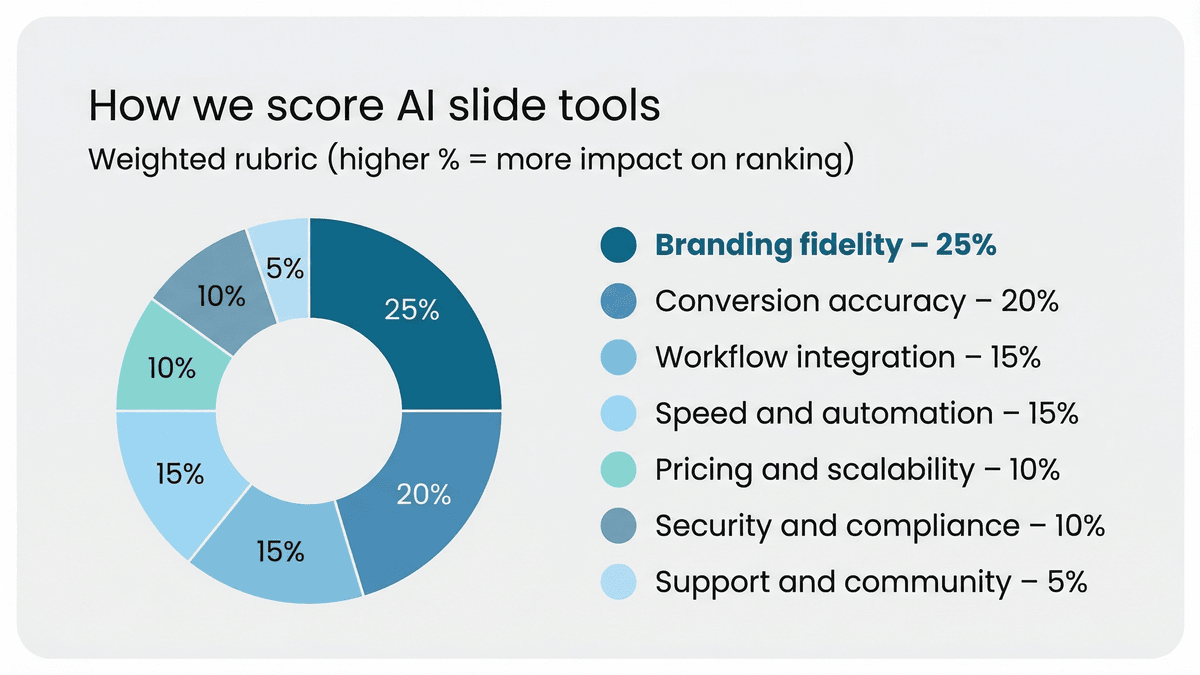
We created a seven-point rubric and weighted each item by the headaches it solves. Branding fidelity leads at 25 percent; if a tool outputs off-brand colors, nothing else matters. Conversion accuracy follows at 20 percent because headings that turn into bullet soup still cost minutes.
Workflow integration and raw speed each count for 15 percent. A generator living in Google Slides or PowerPoint that drafts ten polished slides in under a minute can shrink a three-hour chore to a coffee break. One independent benchmark found that Plus AI cut build time by 75 percent compared with manual work.
The final 30 percent splits across pricing and scalability (10 percent), security and compliance (10 percent), and the quality of support and community (5 percent). Enterprise buyers flagged SOC 2 readiness as essential, so we weighted it accordingly.
Condensed scoring sheet:
- Branding fidelity – 25 percent.
- Conversion accuracy – 20 percent.
- Workflow integration – 15 percent.
- Speed and automation – 15 percent.
- Pricing and scalability – 10 percent.
- Security and compliance – 10 percent.
- Support and community – 5 percent.
These weighted totals decide the order of our reviews. With the ground rules in place, the first pick now faces real-world pressure.
1. Plus AI: Your Slide Template, Powered by AI
Open any deck you already own. Click the Plus AI sidebar. In under a minute, your Google Doc becomes ten crisp slides that match your template down to each hex code. Marketed as an AI presentation maker add-in for Google Slides and PowerPoint, Plus AI sits inside the apps you already use. That tight integration lets it read your master slides, inherit every font, and lock logo positions so nothing drifts off-brand. Reviewers in January 2026 rated its brand control “strong” and noted that even interns could not break the theme.
Speed follows suit. In a 90-day benchmark, analysts timed a typical ten-slide deck: three hours by hand, 45 minutes with Plus AI. That is a 75 percent time gain you notice by the second slide. The AI goes beyond pasting text; it maps headings to slides, trims dense paragraphs, and suggests visuals that fit the story. Need a tweak? Highlight a block and type “turn this into a timeline.” The layout shifts instantly, still within your template.
Security-minded teams asked for proof of compliance. Plus AI responds with SOC 2 Type II certification and encrypted processing, meeting the requirements of finance, healthcare, and tech enterprises. Pricing stays simple: a free seven-day trial, then about ten dollars per user each month, with team tiers for company-wide rollouts.
Where does Plus AI falter? You need an internet connection and must work in Google Slides or PowerPoint. If your workflow lives in a standalone web builder, move to the next option. Everyone else gains streamlined automation inside the tools stakeholders already trust.
Bottom line: Plus AI offers the fastest route from draft to boardroom when brand consistency cannot slip. Install it once, and every future presentation starts on page two, because page one is already done.
2. MagicSlides: Google-Native Speed for the Rest of Us
If Plus AI feels like a senior consultant, MagicSlides behaves like an enthusiastic intern on espresso. Open its add-on pane in Google Slides, paste a topic or drop in an entire Doc, and watch a first-draft deck appear in about 60 seconds.
The company reports more than 2 million users, and our timed tests confirm the pace: ten or more slides consistently generate in under a minute.
MagicSlides shines in flexibility. Drop in a YouTube link, PDF, or plain text, and the AI slices content into titles, bullets, and image placeholders without hesitation. Teachers turning lessons into slides and marketers repurposing blog posts appreciate that range.
Branding control is the trade-off. Because drafts start with Google’s default themes, corporate fonts and colors remain idle until you apply your template afterward. The fix takes only a few clicks, yet it matters when every slide must match the style guide.
Security lands in the “good enough” column. The add-on processes data through its cloud, and the vendor has not published SOC 2 documentation. Safe for public or classroom decks; less ideal for confidential financials.
Pricing is friendly. A generous free tier covers short decks, while paid plans start around five dollars per month. Teams can share licences across devices tied to the same Google account – handy for hybrid offices.
Use MagicSlides when pure speed beats perfect polish, and when your team works exclusively in Google Workspace. With a two-minute branding pass, you can move from document to presentation before the next Slack ping.
3. Gamma: Lightning-Fast Web Decks with a Flair for Storytelling
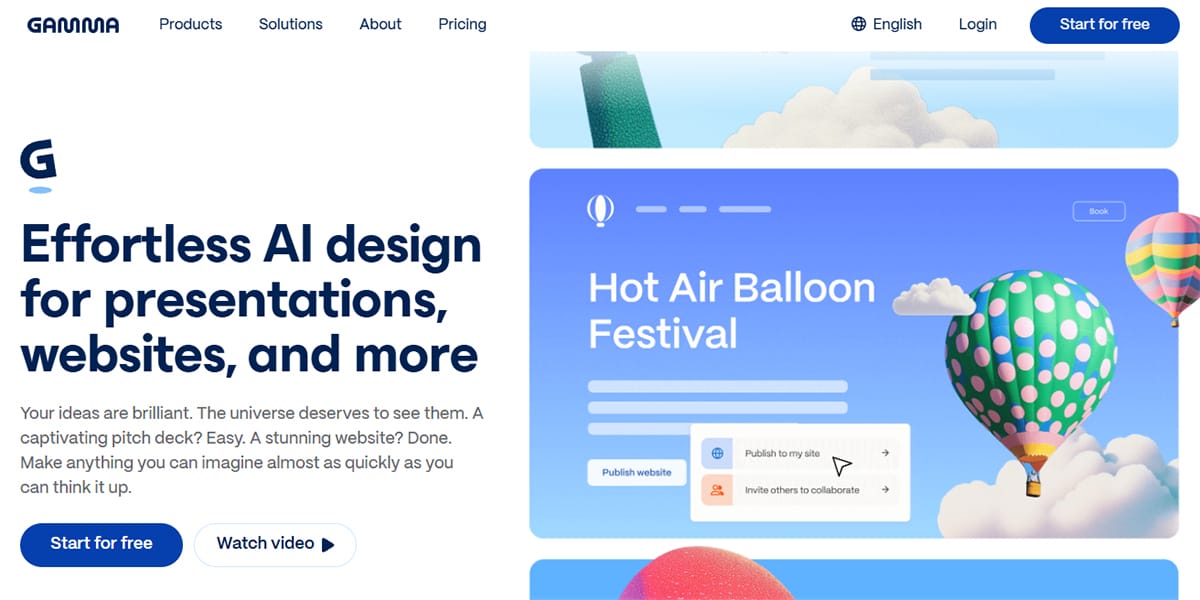
Think of Gamma as the Canva of slide generators. Type a prompt, blink, and an interactive web deck appears looking polished. In timed runs, Gamma produced draft decks in well under 30 seconds, then let us refine copy in a built-in chat. For sprinting from raw idea to shareable link, it topped every other tool we timed.
Layouts lean modern: large imagery, bold cards, and smooth scrolling instead of rigid page breaks. The result feels like a narrative rather than a file attachment. Export to PowerPoint is available when stakeholders insist, though you will spend a few minutes adjusting fonts after the jump.
Brand control sits in the “good, not perfect” column. You can upload a logo, lock color palettes, and pick headline fonts, but Gamma cannot import the bespoke master you built in PowerPoint. Reviewers who compared it with Plus AI and Tome called its theme tools “moderate” and noted about 10 minutes of cleanup for high-stakes board decks.
Security takes a welcome step up. Gamma earned SOC 2 Type II certification in late 2025, giving enterprise teams paperwork for compliance reviews. Pricing stays friendly: a free tier grants 10 generations per month, and paid plans start around eight dollars.
Reach for Gamma when you need to impress fast – investor teasers, internal brainstorms, or social-share moments where interactivity beats strict template fidelity. If brand police are off duty, Gamma delivers pure creative speed; when they return, expect a brief tidy-up.
4. Visme: Brand Governance for Teams that Live in Compliance Land
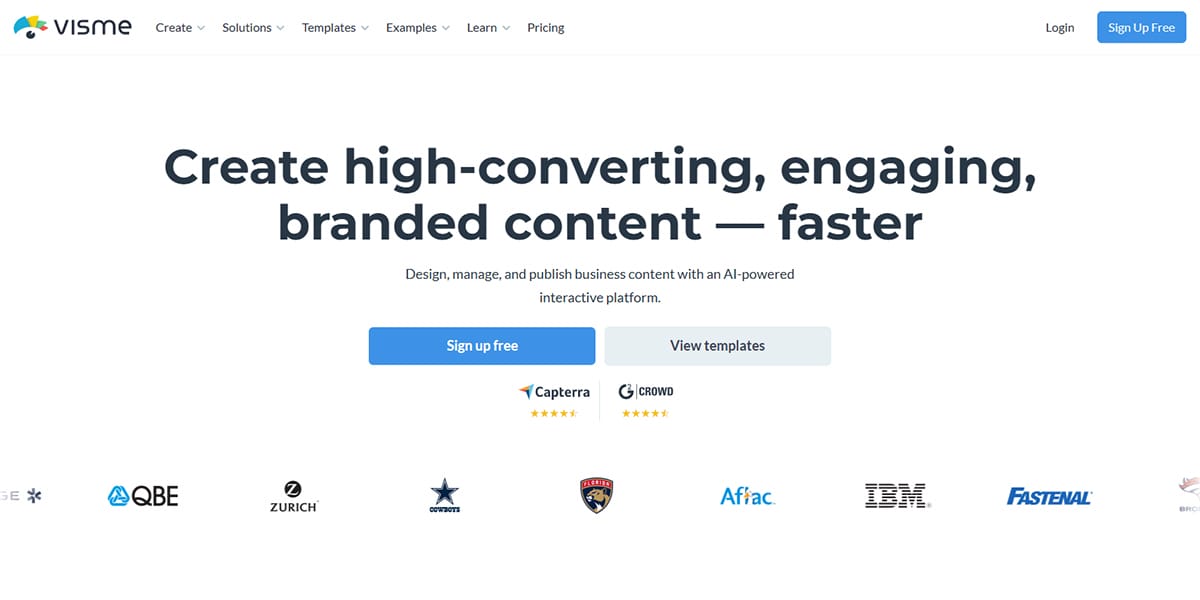
Visme approaches presentations from the opposite direction of our speed-first picks. Instead of asking, “How fast can we turn text into slides?” it asks, “How do we keep every slide on-brand?” If your organisation maintains a 40-page brand manual and legal approves every client deck, Visme will resonate.
After you set up a Brand Kit (logos, color palettes, typography), the platform locks those elements across each template. Drag a chart onto a slide, and Visme applies your corporate blue and the approved font size. Junior teammates cannot stretch a logo or select a rogue shade of orange, and compliance reviewers can relax.
Automation is lighter. There is no single-click “import Google Doc” button. You paste content or use Visme’s AI writer to draft bullets, then watch the design engine snap items into a tidy grid. The extra step costs a few minutes, yet it prevents any post-hoc rebranding. For agencies that deliver the same quarterly report to 40 clients, that consistency protects margin.
Security meets enterprise needs with SSO, data encryption, and granular permissions, so Visme passes vendor reviews without drama. Pricing runs higher than earlier picks: about $12 per month for individuals and more than $25 for business plans. Still cheaper than hiring a designer to repair off-brand decks weekly.
Choose Visme when governance outweighs raw generation speed. It makes fewer decisions for you, but it offers one critical promise: the deck that leaves your laptop will match the brand team’s vision.
5. Beautiful.ai: The Built-In Designer that Refuses to Let Slides Look Bad
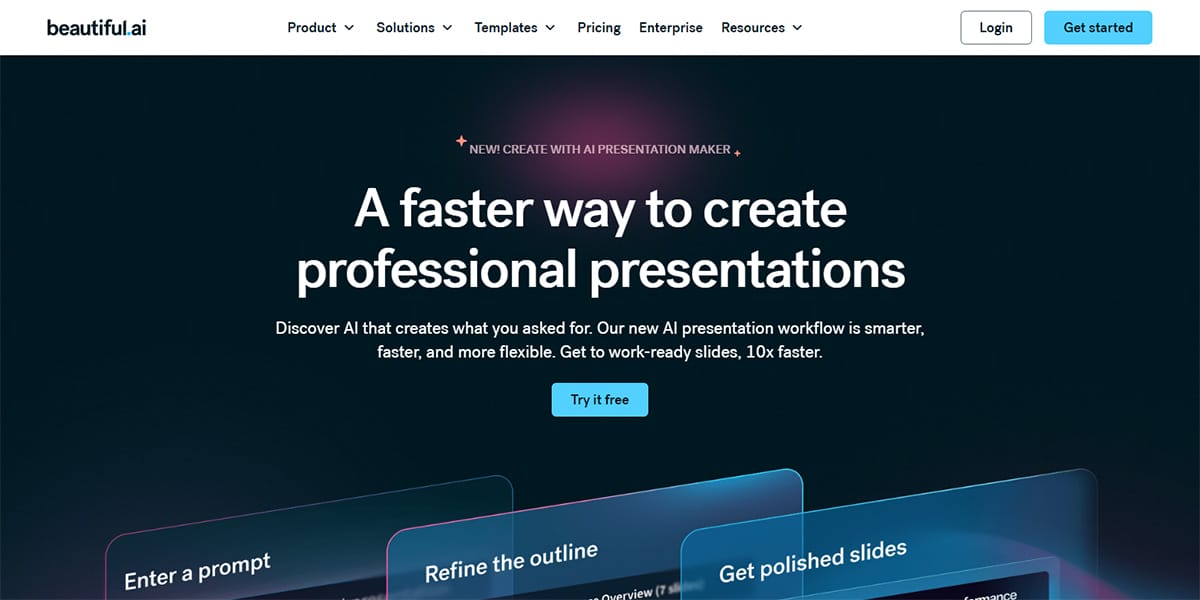
Beautiful.ai treats every slide like a mini canvas with invisible grids, snap-to-guides, and dynamic spacing rules. Paste a paragraph, drag a chart, or swap an image and watch the layout rebalance itself instantly. It feels less like editing boxes and more like briefing an on-call art director.
Brand fidelity starts with its Brand Kit. Upload hex codes, fonts, and a logo once, and the AI blocks rogue colors from appearing again. On the Team plan, you can also lock specific layouts, so no one nudges a title out of line five minutes before showtime.
Automation sits between Plus AI’s one-click approach and Visme’s manual control. Ask DesignerBot to draft an outline or even a full deck from a short prompt, but the real value shows after generation. Each tweak prompts the engine to adjust padding, hierarchy, and color balance. You spend time on the story, not on pixel pushing.
Exports to PowerPoint and PDF work, though complex smart art can flatten into grouped objects. For most hand-offs, that is a small trade-off for slides that look professionally designed. Pricing starts at $12 per month for individuals; teams pay more and unlock Brand Kit enforcement plus advanced collaboration.
Reach for Beautiful.ai when aesthetics matter as much as content – conference keynotes, C-suite updates, or sales pitches where first impressions decide the deal. It will not draft the narrative as aggressively as Plus AI or Gamma, yet it ensures every slide leaves your laptop camera-ready.
6. DIY Automation: When You Prefer to Build the Robot Yourself
Sometimes packaged software feels restrictive. Maybe you generate 50 near-identical client decks each week. Maybe security policy blocks third-party add-ons entirely. In those cases, building your own pipeline with the Google Slides API and a no-code tool like Make can solve the problem.
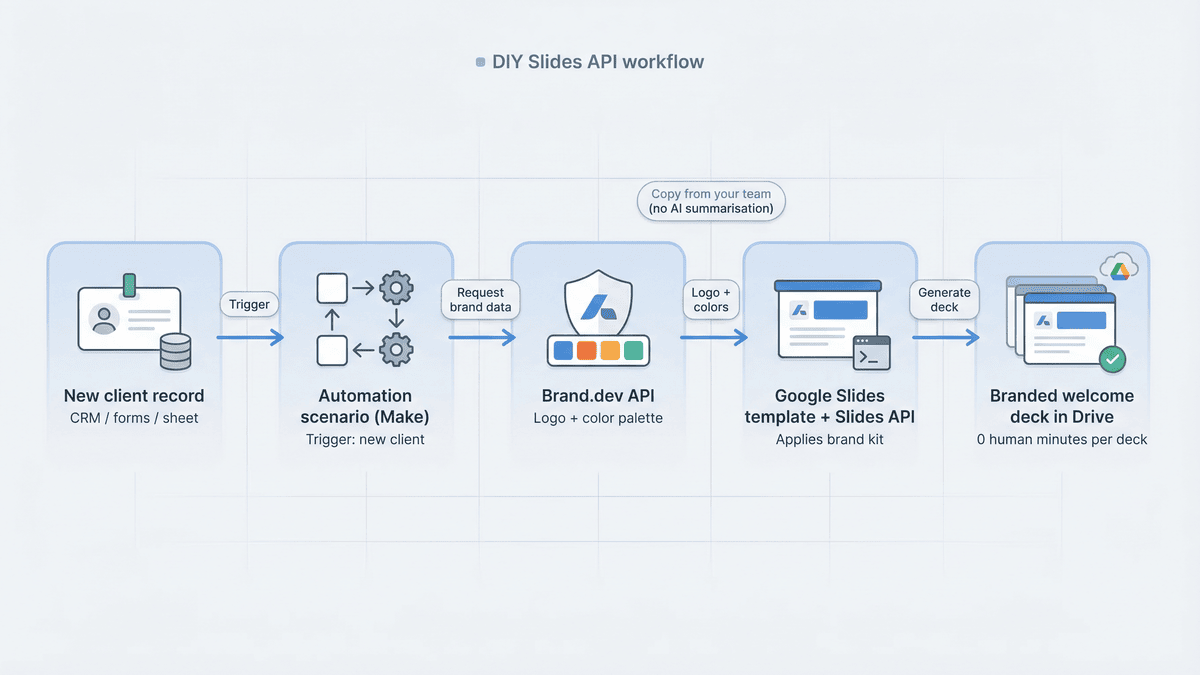
Here is the high-level flow: a new client record triggers a Make scenario. The scenario calls Brand.dev’s API to pull the client’s logo and color palette, then feeds that data into a pre-designed Google Slides template through the Slides API. Seconds later, a fully branded welcome deck lands in Drive, ready for account managers to tweak text and hit send.
The upfront lift is real. You or a developer will write a few lines of Apps Script or stitch modules in Make, then test edge cases until everything runs clean. The payoff scales well: each additional deck takes almost zero human minutes, and brand fidelity stays intact because the template never changes.
This path skips AI summarisation, so it will not condense a 10-page Doc into 10 slides. Pair it with ChatGPT or Gemini APIs if you need content generation; otherwise, assume the copy comes from your team.
Who should consider DIY? Agencies with high-volume, low-variance decks. Enterprises with strict privacy rules. Anyone who likes pressing one button and seeing an on-brand presentation appear without extra SaaS fees.
Build it once, and the robot never asks for overtime.
Quick Comparison at a Glance
You have met each contender in detail; the table below gives a five-second gut check when a colleague asks, “Which one should we try first?”
| Feature / Tool | Plus AI | MagicSlides | Gamma | Visme | Beautiful.ai | DIY (Slides API) |
| Lives inside | Google Slides and PowerPoint | Google Slides | Web app (exports PPTX) | Stand-alone web editor | Stand-alone web editor | Your Google Slides template |
| One-click Doc import | Yes | Yes | Yes (prompt or upload) | No | Partial (AI outline) | No (you script it) |
| Branding control | Uses your master theme automatically | The manual template applies after the draft | Theme tweaks only | Locked Brand Kit with template enforcement | Brand Kit with layout locks | 100 percent (template never changes) |
| Speed to draft (10 slides) | About 45 seconds | About 60 seconds | About 30 seconds | 4–6 minutes | 3–4 minutes | Instantly, once the workflow is built |
| SOC 2 / enterprise security | Yes | Not disclosed | Yes | Yes | Yes | In-house data only |
| Free tier | Seven-day trial | Generous limits | Ten generations per month | View-only | Limited exports | Open-source scripts |
| Best for | On-brand client decks in native apps | Fast internal drafts | Interactive web pitches | Regulated teams needing compliance | High-impact design without designers | High-volume, repeatable decks |
Which Tool Fits Your Situation?
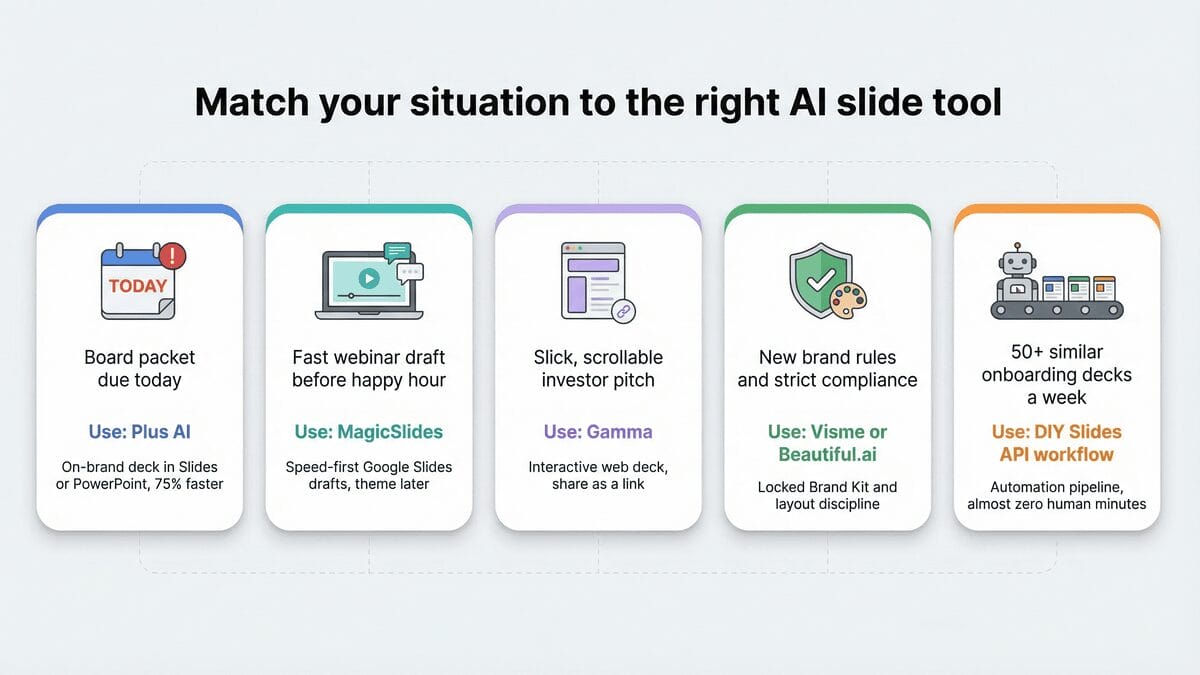
Choosing software is simpler when you link it to a real-world moment. Picture each scenario and pick the tool that removes the obstacle fastest.
You wake to a client email tagged “Board packet due today.” You need a polished deck on the company template and no time for reformatting. Reach for Plus AI. It lives inside Slides and PowerPoint, keeps every font and color intact, and cuts build time by 75 percent.
It is Friday afternoon, and Marketing wants a first-draft webinar deck before happy hour. You value speed over pixel-perfect colors. MagicSlides converts the Doc into slides in about 60 seconds. Apply your theme afterward and send.
Investor pitch tomorrow, and you want a slick, scrollable web story you can share as a link. Gamma is fastest. It spins a narrative deck in 30 seconds and exports to PowerPoint once feedback arrives.
Compliance just issued a new brand policy; every slide must lock logos and colors, and junior staff keep drifting off-brand. Visme or Beautiful.ai solves that. Use Visme for template discipline; choose Beautiful.ai when visual polish matters more than outline import.
Your agency produces 50 nearly identical onboarding decks each week. Humans should not touch them. Build a DIY Slides API workflow: one trigger, one template, endless branded decks without extra SaaS cost.
Match each moment to the strength, and the right choice becomes clear.