Quick Summary
Self-hosting OpenClaw in 2026 is more accessible than it sounds, but choosing the right VPS is critical for reliable 24/7 operation. Since OpenClaw relies on external AI models, server resources are mainly needed for Docker, messaging integrations, and browser automation rather than AI inference.
For most users, a VPS with 2 vCPUs and 4GB RAM offers the best balance of cost and performance, while browser automation requires at least 8GB RAM. Using Ubuntu 22.04 LTS or Debian 12, NVMe storage, and proper security practices helps ensure a smooth deployment. While setup can be straightforward with one-click templates, users should still be comfortable managing API keys, monitoring usage costs, and handling occasional troubleshooting.
For anyone wanting an always-on AI assistant without relying on a personal computer, a properly sized VPS is the most practical and dependable solution.
Introduction
Self-hosting an AI agent sounds intimidating until you actually do it, and then it mostly comes down to one decision: where the thing lives. OpenClaw is the project that made this question urgent for many people.
It started life as Clawdbot in November 2025, was renamed twice after a trademark nudge from Anthropic, and by spring 2026 had blown past 250,000 GitHub stars, making it one of the fastest-growing open-source projects anyone’s tracked. It’s a self-hosted assistant that talks to you through WhatsApp, Telegram, Slack, or iMessage and actually does things: moves files, runs scripts, browses the web, sends messages.
The appeal is obvious. The catch is that OpenClaw is meant to run 24/7, and a laptop that sleeps when you close the lid is a terrible home for something that’s supposed never to stop. So most people end up renting a server.
Why a VPS Beats Running it on Your Mac
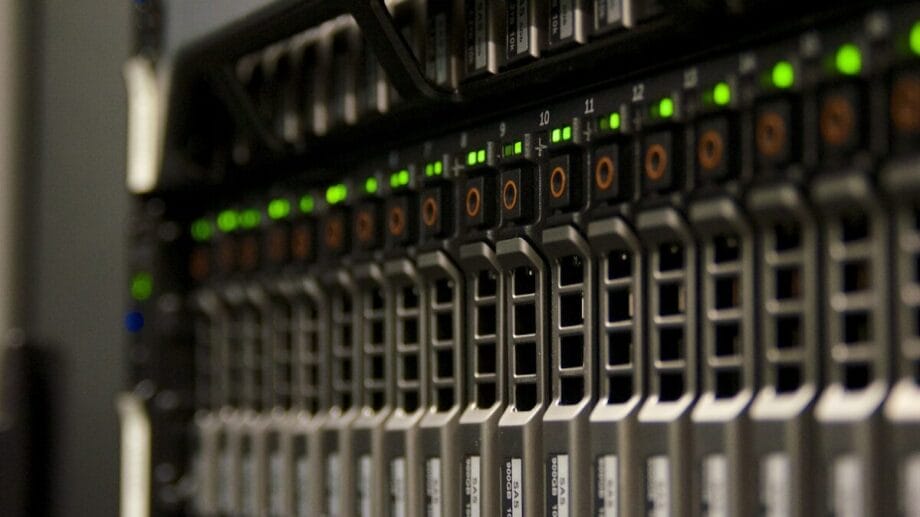
You can run OpenClaw on a spare Mac or a Raspberry Pi. People do. But dedicating a whole machine to a process that idles at near-zero CPU most of the day, waiting for an API call or a message, is an expensive way to host a glorified chat listener. A VPS gives you steady uptime, easy remote access, and no anxiety about your home internet dropping while you’re out.
If you want a shortcut past the trial-and-error, the Cybernews research team tested more than ten providers and ranked the best VPS for OpenClaw using a weighted scoring system that leans heavily on price-to-value and ease of setup. Their methodology is worth a skim even if you don’t take their top pick, because it spells out exactly which features matter for an always-on agent: configurable firewalls, DDoS protection, automated backups, and a real uptime SLA.
According to the Cybernews team, the entry tier that meets OpenClaw’s minimum starts at around 2 vCPUs and 2GB of RAM, which tells you something important: the cheapest “developer” plans won’t cut it.
One thing worth saying out loud, because nobody mentions it until it bites them: OpenClaw can rack up a surprising API bill if a loop runs away overnight. People have nicknamed it the “API wallet assassin.” Hosting it well doesn’t fix that, but a server you can monitor and kill remotely beats a Mac mini you left running at home.
What Hardware Do You Actually Need
The intelligence runs on an external model like Claude, so your server isn’t doing inference. It’s running the gateway, Docker, WebSocket connections, and any browser automation you enable. That last part is the real memory hog. Here’s how the requirements scale with what you’re trying to do:
| Use case | vCPU | RAM | Storage | Notes |
| Text-only single agent (testing) | 1–2 | 2GB (floor) | 40GB SSD | Below 2GB, it crashes during onboarding. |
| Standard everyday automation | 2 | 4GB | 50GB NVMe | The practical sweet spot for most people. |
| Browser automation enabled | 2–4 | 8GB | 50GB+ NVMe | Headless Chromium eats 2–4GB per session. |
| Multi-agent / production | 4+ | 16GB+ | 80GB+ NVMe | Budget 2–3GB of RAM per agent. |
A few hard-won rules that fall out of those numbers:
- Skip HDD-backed plans entirely. NVMe pulls Docker images in under a minute; spinning disks can turn a setup into a five-minute wait and cause container timeouts.
- Don’t enable browser mode on a 4GB box. The jump to 8GB isn’t optional once Chromium is in the picture.
- Pick a server region close to your messaging channel to keep latency down.
Stick to Ubuntu 22.04 LTS or Debian 12. Both ship with the kernel and package support OpenClaw expects, and the community docs assume one of them.
Setup: One-Click vs. the Manual Route

This is where your hosting choice pays off twice. Some providers offer a preconfigured Docker template that installs OpenClaw and its dependencies for you: pick a plan, paste in your API key and a gateway token, and hit deploy.
The Cybernews setup guides walk through both the one-click path and the longer manual install, and their honest framing is what I appreciate most. OpenClaw isn’t built for absolute beginners, and they say so plainly. You’ll manage API keys and gateway tokens and occasionally troubleshoot.
If you’d rather understand what you’re signing up for before renting anything, the official OpenClaw GitHub repository is the source of truth for architecture, supported channels, and the current install steps. And if the agentic-AI security angle is what’s making you hesitate, that instinct is healthy.
RS Web Solutions covered the broader risk picture in its piece on the security challenges of autonomous AI coding agents, and a lot of it applies directly here: an agent that can act on your behalf is also an agent that can act wrongly on your behalf.
So, Should You Do It?

If you’re comfortable with Docker and you’ve got a genuine use for an assistant that runs around the clock, yes. The setup is a weekend project, not a career change, and renting a properly sized VPS costs less than most streaming bundles. Just go in with eyes open: size the server for your actual workload, keep your API keys locked down, and don’t leave it unattended until you trust it.
Start by matching a plan to the right row in that table. From there, the comparison is the fastest way to land on a host that won’t have you debugging at 3 AM.


