What is SEO? Search Engine Optimization Explained
Search engine optimization (SEO) is the practice of improving a website so search engines can understand it, trust it, and show it for relevant searches. It focuses on organic listings rather than paid placements such as Google Ads.
At a practical level, SEO helps your pages compete for visibility when someone searches for a problem, product, service, or question connected to your business. That includes traditional blue-link results, local packs, video results, image results, and AI-assisted search experiences.
Google’s own starter guidance frames SEO as the next step after basic eligibility for search. Your page must first be crawlable, indexable, and useful; then it can earn stronger rankings through better content, better user experience, and clearer authority signals.
- On-page SEO: Improves what is on the page, including title tags, headings, keyword optimization, internal links, image alt text, and content structure.
- Off-page SEO: Builds reputation through backlinks, mentions, reviews, citations, and brand signals from other websites.
- Technical SEO: Makes the site easy to crawl, render, index, and use across devices.
Strong SEO usually combines all three. A fast website with thin content will struggle. A great article on a site with blocked crawling or broken internal linking will also struggle.
That is why white hat SEO still wins in 2026. It improves the page for readers first, then makes those improvements easy for search engines to process. Black hat SEO tries to manipulate ranking systems through shortcuts, which creates long-term risk.
Why is SEO Important in 2026?
Search still sits at the center of digital marketing because demand already exists there. People search when they want to compare options, solve a problem, or make a purchase.
In Google’s latest public update on Search, the company said it sees more than 5 trillion searches annually. That scale alone makes search engine optimization one of the few channels that can keep driving traffic month after month without paying for every click.
SEO compounds. A strong page can keep earning impressions, clicks, leads, and backlinks long after the page is published.
SEO also matters because AI has changed how search looks, not whether search matters. Google has said AI Overviews now reach more than 2.5 billion users each month, and AI-driven search features are increasing usage on the query types where they appear. Your content now needs to win both a traditional ranking and a citation opportunity.
For small businesses, freelance marketers, and teams studying SEO fundamentals, this creates a clear priority: build pages that answer real intent, load fast, and show clear authority. Pages buried on page two or three rarely get enough clicks to help a business grow.
SEO also lowers dependency on ads. Paid search can work fast, but organic traffic can reduce acquisition costs over time and make campaigns in other channels more efficient.
- Lead generation: High-intent searches often convert better than interruption-based traffic.
- Brand trust: Useful pages, reviews, and expert content support E-E-A-T signals.
- AI visibility: Search-ready content is more likely to be cited or summarized by AI systems.
- Cost control: Better rankings can reduce the pressure to buy every visit through ads.
How Search Engines Work

Google Search works in three core stages: crawling, indexing, and serving results. Google’s technical documentation also stresses rendering, because search engines often need to process JavaScript before they can fully understand a page.
If you understand these stages, you can diagnose most beginner SEO problems much faster. A page that never gets crawled cannot be indexed. A page that gets indexed but does not match search intent will not rank well.
Crawling
Crawling is the discovery phase. Googlebot and other web crawlers fetch pages, follow links, and look for new or updated URLs across the web.
Google says most pages are found through links from pages it has already crawled. That means internal linking and backlinks do more than pass authority; they also help search engines discover content faster.
A sitemap helps here, but it is a guide, not a guarantee. Use it to surface important canonical URLs, especially on large sites, new sites, ecommerce catalogs, and sites with weak external link profiles.
- Keep important pages within a few clicks of your homepage.
- Link to new pages from existing pages that are already often crawled.
- Submit XML sitemaps through Google Search Console for batches of new or updated pages.
- Use robots.txt to manage crawl access, not to hide sensitive pages from search results.
That last point matters. Google’s robots.txt documentation is clear: robots.txt mainly controls crawler access and server load. It is not a safe way to keep a page out of Google. If you need a page to be excluded from search, use noindex or require a login.
Indexing
Indexing is the process by which search engines process what they find and store it in a searchable database. If a page never enters the index, it cannot rank.
Google’s technical requirements make the basics clear. For a page to be eligible for indexing, Googlebot must not be blocked, the page must return a successful status code such as HTTP 200, and the page must contain indexable content.
Use the URL Inspection tool in Google Search Console when a page is missing from search. It shows Google’s indexed version of the page and lets you test the live version to see whether the URL is currently indexable.
- Common indexing blockers: noindex tags, accidental canonicalization, blocked resources, thin duplicate pages, soft 404s, and server errors.
- Common fixes: update canonicals, remove accidental noindex rules, fix templates that return the wrong status code, and strengthen internal links.
- Best beginner habit: check page indexation before rewriting content that search engines have not even processed yet.
Mobile-first indexing is also now the default reality. Google uses the mobile version of a site’s content, crawled with a smartphone agent, for indexing and ranking. If the mobile page hides copy, schema, or internal links that exist on desktop, you can lose visibility.
Ranking
Ranking is the stage users notice, but it sits atop the other two stages. Search engines evaluate indexed pages and order them by relevance, usefulness, and other quality signals.
Google says its automated ranking systems look at many factors and signals across hundreds of billions of pages. That is why chasing a single “ranking factor” rarely works. SEO is a system, not a trick.
In practice, ranking improves when you align five things at once:
- the page matches search intent
- the content is original and genuinely helpful
- the page is easy to crawl and fast to use
- the site earns relevant backlinks and mentions
- the structure makes the answer easy to extract and trust
AI Overviews, ads, map packs, video blocks, and other SERP features can also change what “ranking well” means. In 2026, being number one in classic organic results still matters, but earning visibility above the fold sometimes depends on snippets, local presence, rich results, and AI citations as well.
A practical tracking habit is to watch both position and CTR in Google Search Console. A page can rank well enough to earn impressions yet still underperform because the title tag, meta description, or search-intent match is weak.
Types of SEO

SEO breaks into three working areas: on-page SEO, off-page SEO, and technical SEO. Each one solves a different problem, and strong performance usually comes from improving all three together.
| Type | Main Goal | What You Improve | Why It Matters |
| On-Page SEO | Clarify relevance | Titles, headings, copy, alt text, internal links, metadata | Helps search engines understand what the page should rank for |
| Off-Page SEO | Build authority | Backlinks, mentions, citations, reviews, digital PR | Shows that other sources trust and reference your brand |
| Technical SEO | Improve accessibility | Crawlability, indexing, site architecture, website speed, mobile setup | Removes technical blockers that stop good content from performing |
On-Page SEO
On-page SEO improves individual pages so they match a clear topic and a clear intent. That means tighter keyword optimization, better structure, and better user experience on the page itself.
One outdated idea still appears in beginner guides: that every page must meet a certain word count, such as 1,500 words. That is the wrong standard. Search engines reward pages that solve the query well. Some topics need 400 words. Others need 2,500 and a comparison table.
A practical on-page checklist includes the elements below:
- Target one primary topic or keyword cluster per page.
- Put the main keyword in the title tag, H1, first paragraph, and at least one meaningful subheading.
- Use descriptive image filenames and alt text where images support the topic.
- Write scannable sections with short paragraphs and useful subheadings.
- Link to related internal pages with descriptive anchor text.
- Refresh pages when products, examples, screenshots, or SERP expectations change.
Search Console is the best place to prioritize on-page work. Pages with high impressions but weak CTR often need better title tags or better intent alignment. Pages sitting in positions 8 through 20 often respond well to stronger intros, better subheadings, and smarter internal linking.
Off-Page SEO
Off-page SEO builds your site’s reputation beyond your own pages. The main signals here are backlinks, citations, brand mentions, reviews, and third-party references that make your content look trustworthy.
Link building still matters, but raw link counts are a poor target. Relevant referring domains from trustworthy sites usually help more than a pile of low-value links. That is why digital PR, original research, useful tools, and strong resource pages still outperform spammy tactics.
Google’s spam policies remain clear on the risk side. Manipulative practices meant to deceive users or manipulate search systems can lead to lower rankings or manual actions. That includes link spam and other black hat SEO behavior.
- Good off-page SEO: earned links, media mentions, testimonials, local citations, and reviews.
- Weak off-page SEO: paid links with no editorial value, irrelevant directories, spun guest posts, and suspicious private networks.
- Local SEO note: keep your NAP details consistent across profiles, directories, and business listings.
E-E-A-T fits here as well. Search engines want evidence that real people and reputable sources recognize your expertise. That is why founder bios, press mentions, case studies, and third-party reviews can strengthen both rankings and conversions.
Technical SEO
Technical SEO makes your website easier to crawl, render, index, and use. It also creates the clean foundation that strong content and backlinks need.
For beginners, the technical work is rarely about fancy code. It is usually about fixing preventable issues: broken links, blocked pages, duplicate URLs, slow templates, poor mobile layouts, and weak site architecture.
Screaming Frog remains one of the most useful beginner audit tools because the free version can crawl up to 500 URLs. That is enough to spot broken internal links, duplicate titles, redirect chains, thin pages, and basic indexability issues on many small business sites.
- Use XML sitemaps to surface important canonical URLs.
- Keep one sitemap under 50,000 URLs and 50 MB uncompressed.
- Use robots.txt carefully, and never rely on it as your privacy tool.
- Audit mobile rendering, since Google indexes the mobile version.
- Review crawl errors, 4xx pages, and 5xx pages at least monthly.
Small and medium businesses can handle much of this on WordPress, Shopify, Webflow, or a custom CMS if the publishing workflows are clean. Enterprise sites face greater complexity because faceted navigation, parameter handling, staging rules, and template logic can quickly multiply crawl waste.
Keyword Research Basics

Keyword research turns vague content ideas into pages that match real demand. The goal is not to chase the biggest keyword. The goal is to find topics where search volume, business fit, search intent, and ranking difficulty line up.
Good keyword research also protects your content budget. An Ahrefs study from 2023 found that 96.55% of pages get no organic traffic from Google. That is a sharp reminder that publishing more pages is not the same as publishing better targets.
Finding the right keywords
The best keywords sit in the sweet spot between relevance and opportunity. They bring the right visitor and give your page a realistic shot at ranking.
Start with your offers, then work outward into real user language. If you sell accounting software, “best accounting software for freelancers” is usually more valuable than a broad term like “accounting.”
- Relevance: The keyword must fit the page and the business model.
- Intent: The searcher should want the kind of page you plan to publish.
- Difficulty: New sites should favor lower-competition, long-tail targets.
- Value: The topic should connect to a product, lead magnet, newsletter signup, or another next step.
- Coverage: Build keyword clusters so that one page ranks for a main topic and its related variations.
A strong beginner workflow is to open Google Search Console first, find queries where your site already gets impressions, then expand those into fuller pages or better updates. It is easier to grow from partial relevance than to start from zero.
Keyword tools like KWFinder, Ahrefs, SEMrush, and Surfer help validate that shortlist with search volume, difficulty, SERP analysis, and clustering. Use the tools to confirm decisions, not to replace judgment.
Understanding search intent
Search intent is the reason behind the query. It tells you what the user wants, and it should shape both the page type and the page structure.
| Intent Type | What the Searcher Wants | Best Page Type | Beginner Mistake |
| Informational | To learn | Guide, tutorial, explainer, FAQ | Sending them to a hard-sell product page |
| Commercial | To compare options | Roundup, review, comparison page | Writing a vague overview with no criteria |
| Transactional | To act or buy | Product, service, pricing, booking page | Writing a blog post instead of a conversion page |
| Navigational | To reach a specific brand or page | Homepage, login, brand page | Trying to rank a generic article for a branded query |
The fastest intent check is still the SERP itself. Search the keyword and study the top results. If Google mostly shows product pages, do not publish a definition article. If it shows tutorials and videos, do not lead with pricing.
This is where many beginners lose time. They optimize the wrong page type for the right keyword, then wonder why rankings never move.
Using keyword tools
Keyword tools speed up research and help you validate what the SERP is telling you. Each tool solves a different part of the workflow.
- Google Search Console: Shows the real queries that already drive impressions and clicks to your site.
- Google Keyword Planner: Useful for volume ranges, bid data, and spotting commercial intent.
- Google Trends: Confirms seasonality and rising topics before you commit content resources.
- KWFinder: Good for simple keyword research, difficulty checks, and local SERP analysis.
- Surfer: Helps with clustering and on-page content optimization.
- ChatGPT and Claude: Useful for brainstorming seed terms, question angles, and semantic variants, but always verify with real SERP and volume data.
- SERPWatcher: Tracks rankings over time, with daily keyword position updates.
Google’s May 2026 update on AI Mode added an important clue for keyword research: the average AI Mode search is now about triple the length of a traditional search query. That makes long-tail phrasing, follow-up questions, and comparison-style headings much more valuable than they looked a few years ago.
Content Optimization for SEO

Content optimization turns a good draft into a page that search engines can read, users can scan, and AI systems can quote accurately. It covers metadata, keyword placement, content structure, internal links, readability, and semantic depth.
The goal is not to force keywords everywhere. The goal is to make the topic unmistakable and the answer easy to trust.
Creating content that ranks
Pages that rank tend to do three things well: they satisfy intent, they add original value, and they make the answer easy to extract. That is as true for classic search results as it is for AI search.
Original value can come from many places. It can be a case study, product screenshots, test data, a pricing comparison, a template, a calculator, or a strong point of view based on real experience.
That is where many generic AI-written posts fail. They summarize what already exists, but they do not add proof, specificity, or helpful next steps.
- Write for one clear audience and one clear stage of intent.
- Cover the main question early, then expand with examples and supporting detail.
- Add original elements such as screenshots, tables, quotes, mini case studies, or first-party data.
- Use topic clusters so related pages strengthen each other through internal links.
- Set a clear conversion path, such as a demo, a contact form, a download, or a product page.
Content clusters matter more in 2026 because search systems increasingly connect entities and related topics. A single isolated post can rank, but a connected set of useful pages sends a stronger signal of authority to both search engines and AI systems.
Title tags and meta descriptions
Title tags and meta descriptions influence how your page appears in the search results. They do not carry the whole ranking load, but they strongly affect click behavior.
The most useful title tags do four jobs at once: they state the topic, match the query, lead with value, and stay readable. Treat length guidelines as display targets, not hard laws. In practice, space on the results page matters more than a rigid character count.
- Put the main keyword close to the front of the title when it fits naturally.
- Write distinct titles for each page. Duplicate titles make pages harder to differentiate.
- Use meta descriptions to summarize the page’s benefits and set click expectations.
- Check pages with high impressions but low CTR in Search Console first. Those often produce the fastest gains.
- Keep language plain, direct, and useful instead of stuffing several variations into one snippet.
In the latest Search Console anomaly update from May 2026, Google noted that FAQ rich results no longer appear in Google Search. That makes basic snippet work even more important. You cannot rely on FAQ markup to win extra SERP space for routine pages anymore, so your title and meta copy need to carry more of the click.
Focus keyword placement
Focus keyword placement still matters because it helps readers and search engines quickly identify the page’s topic. It should be deliberate, not repetitive.
- Use the focus keyword in the title tag and H1.
- Place it in the first paragraph if it fits naturally.
- Include it in at least one meaningful H2 or H3.
- Use related phrases and synonyms across the page instead of repeating the exact term unnaturally.
- Add descriptive alt text to relevant images, especially when the image supports the explanation.
- Use the keyword or a close variation in internal anchor text where it genuinely helps navigation.
- Reflect the topic in structured data when the page type supports it.
For structured data, Google recommends JSON-LD because it is usually the easiest format to implement and maintain at scale. That makes JSON-LD the best choice for most teams working with product pages, articles, organizations, FAQs, or local business markup.
On-Page SEO Best Practices
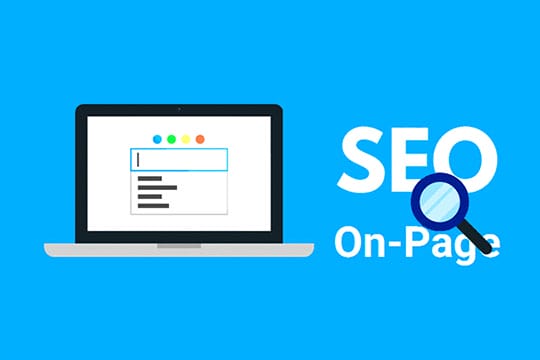
On-page SEO best practices improve both relevance and usability. They help users navigate the page and help search engines understand how it fits into the rest of the site.
Three areas drive the biggest beginner wins: internal linking, heading structure, and website speed.
Internal linking strategies
Internal linking is one of the simplest ways to improve crawlability, page discovery, and content relationships. It is also one of the most overlooked.
- Link related pages contextually inside paragraphs, not just in menus and footers.
- Use anchor text that tells the reader what they will find after the click.
- Link from strong pages, such as pages with backlinks or traffic, to important but weaker pages.
- Repair orphan pages so every useful page has at least one crawlable internal path.
- Audit broken links and redirect chains monthly with Screaming Frog or Search Console.
- Keep links helpful. Too many weak links on one page dilute attention and relevance.
- Review Search Console impression data to see which supporting pages deserve more internal links.
A common quick win is to add contextual internal links from pages already earning impressions to pages ranking on the edge of page one.
Optimizing headings and subheadings
Headings create structure for users, crawlers, and AI systems that extract answers. A clean heading hierarchy also makes long content easier to skim.
- Use one H1 that clearly defines the page topic.
- Use H2 tags for primary sections and H3 tags for subtopics that sit under them.
- Write headings that summarize the section instead of using vague labels.
- Include keywords where they help clarity, not where they feel forced.
- Break dense sections into smaller parts so users can find the answer fast.
- Align the title tag, H1, and opening paragraph around the same topic intent.
Clear headings also help AI search by making the page easier to parse into question-and-answer blocks. If a heading sounds like a user query, the section below it should answer that query quickly and directly.
Improving page load speed
Faster pages improve user experience and support stronger SEO performance. Speed will not rescue weak content, but slow templates can absolutely suppress good content.
Web.dev currently defines strong Core Web Vitals targets as an LCP of 2.5 seconds or less, an INP of 200 milliseconds or less, and a CLS of 0.1 or less. Those numbers give you a concrete target for website speed work instead of vague advice to “make the site faster.”
- Compress large images and serve modern formats when possible.
- Lazy-load below-the-fold media, but do not hide primary content behind interaction.
- Minify unused CSS and JavaScript, and reduce render-blocking code.
- Use caching, compression, and a reliable hosting setup to cut server response time.
- Trim heavy third-party scripts, chat widgets, and unused plugins.
- Test key templates in PageSpeed Insights and Lighthouse, then fix the biggest bottlenecks first.
From a business angle, speed work often pays twice. It can improve rankings and reduce visitor abandonment by those who never wait long enough to read or buy.
Off-Page SEO Techniques
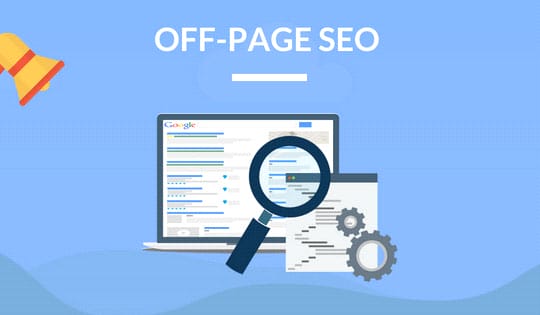
Off-page SEO techniques build authority outside your own website. The goal is to earn signals that make your content more credible, more discoverable, and more likely to rank.
The most durable techniques are still backlinks, brand mentions, editorial placements, and useful distribution on channels that expose your content to people who may cite it later.
Building quality backlinks
Quality backlinks act like editorial endorsements. They are hardest to earn when the page offers nothing new and much easier to earn when it contains data, tools, templates, or a strong original insight.
The best linkable assets for beginners are usually simple:
- a calculator
- a template
- a benchmark report
- a curated resource page
- a detailed comparison table
- a short industry study based on real numbers
LinkMiner is useful here because it lets you review competitor backlinks, filter new and lost links, and focus on one link per domain when you want cleaner prospecting. Mangools also says its LinkMiner database now contains more than 9 trillion backlinks, making it practical for spotting recurring link patterns in your niche.
A good beginner link building rule is simple: create something worth citing before you start outreach. Outreach cannot save a weak asset.
Social signals and their role in ranking
Social signals are best treated as discovery signals rather than direct ranking factors. Shares can amplify reach, put your content in front of journalists and bloggers, and lead to the backlinks that matter more for rankings.
That makes social distribution valuable even if a like or repost does not directly move your page from position 9 to position 3. Good posts on LinkedIn, Reddit, X, or industry communities can create the first wave of attention that earns citations later.
- Share new content where your actual audience spends time.
- Turn key sections into short posts, charts, or video clips.
- Watch referral traffic in GA4 to see which channels bring engaged visitors.
- Look for posts that attract comments and questions, then use those questions in future content.
Guest blogging strategies
Guest blogging still works when it is selective, useful, and brand-building. It stops working when it becomes a mass-produced link scheme.
- Pitch sites with relevant audiences, not random sites that accept any submission.
- Offer a topic with a clear angle, a real example, or data the host has not already covered.
- Write something strong enough that the post could stand alone without the backlink.
- Use one natural link to a genuinely helpful supporting resource when it fits.
- Track referral traffic, referring domains, and assisted conversions after each placement.
- Build relationships with editors instead of treating every post as a one-time transaction.
Guest posts work best when they boost your authority and referral traffic simultaneously. If the only value is a thin backlink on a forgettable site, skip it.
Technical SEO Essentials

Technical SEO essentials cover the infrastructure that enables good pages to be discovered and processed. They include mobile optimization, crawl error repair, sitemap management, robots directives, and site architecture.
When traffic stalls, technical issues often go unnoticed. A page may look fine to a human while returning the wrong status code, missing structured data on mobile, or sitting in an orphaned section of the site.
Mobile optimization
Mobile optimization matters because Google uses the mobile version of a site’s content for indexing and ranking. If the mobile page is weak, the page is weak for SEO.
- Use responsive design so the same content adapts cleanly to different screen sizes.
- Keep structured data, primary copy, and important links consistent across mobile and desktop.
- Make buttons and menu items easy to tap without zooming.
- Avoid intrusive interstitials that cover the screen and delay access to the main content.
- Test Core Web Vitals on real mobile devices, not just desktop emulation.
- Do not lazy-load important text or images only after a swipe or click, because Google may not see them.
Google’s mobile-first best practices also recommend ensuring the mobile page has the same alt text and key metadata as the desktop version. That detail matters on media-heavy pages where mobile templates often strip useful context.
Fixing crawl errors
Fix crawl errors early, as they can prevent rankings before the content has a chance to compete. Google Search Console and Screaming Frog are usually enough to find the biggest problems.
- Check Search Console for pages reporting 404, soft 404, redirect, and server issues.
- Use URL Inspection to compare the indexed and live versions of the problem pages.
- Repair broken internal links so crawlers stop hitting dead ends.
- Use 301 redirects for moved content, then update internal links to point to the final URL.
- Review robots.txt and noindex rules after site launches, migrations, or plugin changes.
- Resubmit XML sitemaps after major URL changes.
- Monitor 5xx errors with your developer or host if templates fail under load.
For batches of new or updated pages, submit a sitemap. For one-off fixes, request indexing in URL Inspection. Google notes that indexing requests can take from about a day to a week or two, so avoid resubmitting the same page repeatedly.
Improving website architecture
Website architecture is the map of your site. It shapes how users move, how authority flows, and how easily crawlers discover important pages.
Clean architecture usually means fewer surprises. Important pages sit close to category hubs, related content connects through sensible internal links, and URLs reflect the hierarchy.
- Group content into clear categories and topical clusters.
- Keep important pages shallow enough to reach within a few clicks.
- Use descriptive URLs that reflect the page topic.
- Eliminate orphan pages and near-duplicate archives.
- Make category pages useful instead of leaving them as empty collections.
- Use canonicals where template variations create duplicate URLs.
Architecture also affects AI search. Well-grouped topical clusters make it easier for search engines to understand what your site covers in depth, which supports its authority and citation potential.
AI SEO Trends for 2026

AI search is now part of normal SEO work. It changes how people phrase queries, how answers are displayed, and which kinds of pages get cited.
That does not make classic SEO obsolete. It raises the bar for clarity, authority, and extractable structure.
AI-driven keyword suggestions
AI tools are excellent for idea generation, clustering, and drafting outlines. They are weak when used as a source of truth for volume, competitiveness, or current SERP behavior.
Use AI for expansion, then validate with real search data. That usually means Search Console, Google Trends, Keyword Planner, KWFinder, or SERP analysis.
- Use ChatGPT or Claude to brainstorm seed terms, FAQs, and semantic variants.
- Ask AI to group keywords by intent before you build pillar pages and supporting pages.
- Validate every promising cluster against the live SERP and your business goals.
- Keep a list of question-style queries because they map well to AI search behavior.
Google’s May 2026 AI Mode update said the average AI Mode query is triple the length of a traditional search query. That is a strong signal to expand beyond short head terms and build pages around follow-up questions, comparisons, constraints, and real-world scenarios.
Semantic search and topic clustering
Semantic search looks at meaning, context, and relationships between entities rather than just matching keywords as strings. That is why one page can rank for many related terms if it covers the topic well.
Topic clustering is the site strategy that supports semantic search. You create a pillar page for a broad topic, then connect supporting pages that answer narrower questions.
- Build one strong pillar page for the main topic.
- Create supporting pages for subtopics, tools, comparisons, and FAQs.
- Link supporting pages back to the pillar and to each other where useful.
- Use structured data to clarify entities, products, organizations, and authors.
JSON-LD helps here by giving search engines structured clues about what the page contains. That does not guarantee a rich result, but it can improve eligibility and reduce ambiguity.
Optimizing for AI-powered search engines
AI-powered search engines reward pages that answer clearly, show their work, and add original proof. They also rely heavily on the same web signals that support classic SEO: crawlable pages, clear headings, third-party references, and strong on-page context.
Google has said that AI Overviews now reach more than 2.5 billion users each month, and that AI Mode has surpassed 1 billion monthly active users globally. This is no longer an edge case. It is normal search behavior at scale.
To rank for AI-powered search, write so the answer can be extracted in seconds, then back it up with specifics a reader can verify and act on.
That leads to a practical format:
- Start sections with a direct answer.
- Use short paragraphs and descriptive headings.
- Add specific examples, numbers, products, tools, or named entities.
- Show who created the content and why the page should be trusted.
- Earn mentions from reputable third-party sites, because AI systems often learn brand credibility from beyond your own domain.
For beginners, the easiest upgrade is to turn vague paragraphs into atomic answers. If a paragraph could answer a precise question on its own, it is more likely to surface in both search snippets and AI summaries.
Common SEO Mistakes Beginners Make

Most beginner SEO mistakes come from skipping fundamentals. Teams jump to advanced tools before checking whether the page is indexable, whether the content matches intent, or whether users can navigate the site cleanly.
Overstuffing keywords
Keyword stuffing still hurts readability, trust, and ranking potential. It also sends the wrong signal about content quality.
Google’s spam policies focus on deceptive and manipulative behavior, and over-optimization often goes hand in hand with that mindset. Pages written for robots rather than readers rarely perform well for long.
- Repeat the primary keyword where it improves clarity.
- Use close variants and natural language for the rest.
- Read the page aloud. If the phrasing sounds forced, it is probably over-optimized.
- Improve subtopics and examples before adding the keyword one more time.
Ignoring analytics data
Ignoring analytics data leads to random SEO decisions. You need evidence before deciding whether a page has a ranking, CTR, indexing, or conversion problem.
Google Search Console shows search visibility. GA4 shows what users do after they arrive. Together, they tell you whether the issue is discoverability, engagement, or both.
- Check impressions, clicks, CTR, and average position in Search Console.
- Check engaged sessions, conversions, and pathing in GA4.
- Review results monthly so small problems do not turn into long traffic losses.
Neglecting technical aspects
Technical issues often stay invisible until traffic drops or new pages fail to index. Beginners often overlook blocked resources, broken redirects, mobile layout issues, and sitemap errors after a redesign.
A simple monthly audit prevents most of this. Crawl the site, review Search Console, test key templates, and confirm that important pages still load correctly on mobile.
If you only do one technical review this month, check these items first: index coverage, broken internal links, Core Web Vitals, mobile usability, and sitemap health.
SEO Tools for Beginners

The best seo tools for beginners help you answer five questions: Are pages indexed? What are people searching? Where do I rank? What links point to my site? Which changes improved results?
You do not need a giant stack on day one. Start with the tools that give direct evidence, then expand when you need more scale or automation.
Free vs. paid tools
| Tool / Method | Type | Cost | Best for | Key facts |
| Google Search Console | Platform | Free | Indexing and performance tracking | Uses first-party Google search data. Shows impressions, clicks, CTR, and average position. Supports up to 16 months of search performance history. |
| Google Analytics 4 | Platform | Free | Traffic quality and conversion tracking | Shows behavior after the click. Useful for events, conversions, and landing page performance. Pairs best with Search Console. |
| Screaming Frog SEO Spider | Crawler | Free up to 500 URLs, paid for more | Technical SEO audits | Finds broken links, redirect chains, duplicate metadata, and indexability issues. Free version handles many small business sites. Strong choice for monthly crawl diagnostics. |
| KWFinder | Keyword tool | Subscription | Keyword research | Useful for volume, keyword difficulty, and SERP analysis. Friendly interface for beginners. Works well for building early keyword maps. |
| SERPWatcher | Rank tracker | Subscription | Position tracking | Provides daily keyword position updates. Tracks visibility trends over time. Helpful for measuring updates after content changes. |
| LinkMiner | Backlink tool | Subscription | Backlink analysis | Shows competitor backlinks, as well as new and lost links. Useful for link building and backlink cleanup. Good fit for budget-conscious off-page SEO work. |
| Google Trends and manual SERP review | Free methods | Free | Topic validation | Confirms seasonality and trending interest. Shows how Google frames the topic right now. Prevents writing the wrong page for the right keyword. |
| ChatGPT and Claude | AI tools | Free and paid options | Ideation and clustering | Good for outlines, FAQs, and semantic expansion. Should not replace live SERP validation. Best used as drafting support, not final judgment. |
Tools for keyword research
| Tool | Type | What It Does | Best For | Quick Tip |
| Google Search Console | Free platform | Shows queries that already generate impressions and clicks. | Finding quick-win keyword opportunities. | Sort by high impressions and low CTR to find pages worth rewriting. |
| Google Keyword Planner | Free with account access | Provides volume ranges and commercial intent clues. | Budgeting and validating demand. | Use it to compare terms, not as your only source of truth. |
| Google Trends | Free | Shows interest over time and seasonality. | Timing content calendars. | Check regional interest before publishing local or seasonal pages. |
| People Also Ask and autocomplete | Free SERP features | Reveal question-style keywords and related subtopics. | Building headings and FAQ sections. | Use the exact language of the questions as draft subheads. |
| KWFinder | Paid tool | Combines volume, difficulty, and SERP data. | Beginners who need a simple research workflow. | Use it after Search Console to validate which clusters deserve new pages. |
| Surfer | Paid tool | Helps cluster keywords and guide on-page content optimization. | Scaling content briefs. | Use it to organize coverage, then edit for originality and user value. |
| ChatGPT | AI assistant | Generates topic angles, follow-up questions, and semantic variants. | Early ideation. | Always cross-check suggestions against live results and business fit. |
Tools for performance tracking
| Tool | Primary Use | Key Features | How It Helps |
| Google Analytics 4 | Traffic and behavior analysis | Event tracking, conversions, and engagement metrics | Shows which pages convert and which pages lose users after the click. |
| Google Search Console | Crawl, index, and search visibility | Performance report URL Inspection Indexing insights | Shows whether a ranking issue is really an indexing or CTR issue. |
| SERPWatcher | Rank tracking | Daily position updates Trend tracking | Makes it easier to see whether edits improved rankings over time. |
| KWFinder | Keyword opportunity analysis | Difficulty scores SERP review | Helps decide what to target next and what to skip. |
| LinkMiner | Backlink monitoring | New and lost links Referring domain review | Supports link building, backlink audits, and competitor research. |
| Google Search Status Dashboard | Ranking update awareness | System issues Latest ranking updates relevant to site owners | Helps you separate a site problem from a broader Google Search event. |
SEO Checklist for Success in 2026

This checklist focuses on practical search engine optimization work that beginners can execute without a large team.
- Verify your site in Google Search Console and submit an XML sitemap.
- Check that key pages are crawlable, return a valid status code, and are not blocked by noindex or robots.txt errors.
- Make sure the mobile version includes the same important content, links, and structured data as the desktop version.
- Map each page to one clear search intent and one primary keyword cluster.
- Improve title tags, headings, internal links, and image alt text on high-impression pages first.
- Track Core Web Vitals and fix major issues affecting LCP, INP, or CLS.
- Build topical clusters rather than publishing isolated posts without internal support.
- Earn relevant backlinks through useful assets, digital PR, guest contributions, and citations.
- Use GA4 and Search Console monthly so every SEO change is measured against traffic, rankings, and conversions.
Conclusion

Search engine optimization in 2026 still starts with the same foundation: helpful content, clean technical SEO, and credible backlinks.
Use Google Search Console to track what gets crawled, indexed, clicked, and ignored. Fix the basics first, then improve intent match, content optimization, website speed, and internal links.
Start small, measure every change, and stay consistent. That is how search engine optimization turns into lasting organic traffic.


