Quick Summary
Choosing a POS system for small businesses is about more than processing payments. The right system keeps sales, inventory, accounting, and multiple locations in real-time sync, preventing overselling, inaccurate stock counts, and messy financial reconciliation.
When comparing POS systems, focus on inventory management, accounting integration, offline capability, multi-location support, and the total two-year cost, including hardware, payment processing, setup, and training. Before committing, test the system with real-world scenarios such as returns, split payments, stock updates, and shift closing to ensure everything stays in sync without manual workarounds.
Introduction
Saturday, 11:02. The last blue jacket in size M sells at the counter.
Saturday, 11:05. The online store sells it again.
By Monday, you have one refund to process, one apology to write, one annoyed customer who will think twice before ordering again, and a stock report that still says the jacket is available. Nothing crashed. Nothing looked broken. The till simply didn’t tell anyone else what it knew.
That is the problem most owners discover after buying a POS system for small business, not before. A good one doesn’t just take payments. It records every sale once and instantly passes that information to inventory, your accounts, and every other place you sell. This guide is about choosing one that does that job, because the checkout screen is the easy part.
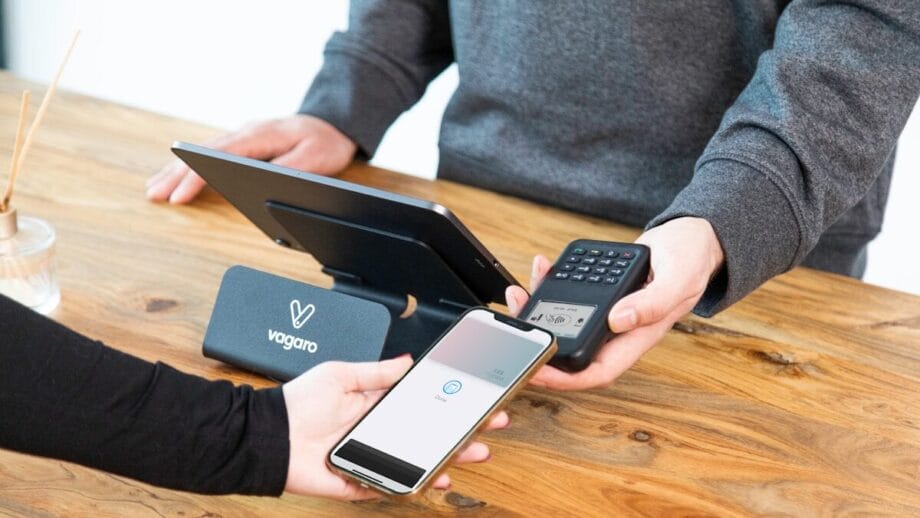
What is a POS System? (And How Does a POS System Work)
A point of sale system is the software, and usually the hardware, that records a sale at the moment it happens: the items, the price, the discount, the tax, and the payment method.
How does a POS system work behind the counter? The cashier scans or selects items, the system calculates the total, the customer pays, and the system issues a receipt. That’s the visible part. The invisible part matters more. Every sale should reduce stock, record revenue, and update your sales reports without anyone having to type it a second time.
When that invisible part fails, you don’t get an error message. You get Saturday at 11:05.
The Sync Gap: Where Most POS Setups Break
“Rather than requiring you to transfer data from one system to another, a good POS will be integrated and offer real-time dashboards to see sales performance and metrics at any moment.”U.S. Small Business Administration
Stock That Updates in One Place Only
Many small businesses run the till, the online store, and the stock sheet as separate systems. Each one is accurate about its own sales but blind to the others. The result is overselling on busy days and phantom stock on quiet ones, where the system insists you have items that walked out weeks ago.
Sales That Never Reach the Books Cleanly
A daily sales summary exported from the POS and retyped into accounting software is not integration. It’s a ritual. Card fees get lumped together, refunds get missed, and cash differences get “sorted out later,” which usually means never. By month-end, your accountant is reconciling totals that were never designed to match.
Branches That Don’t Talk to Each Other
Open a second location and the gap doubles. One branch runs out of a product while the other has a shelf full of it, and nobody knows until a customer asks. Without multi-location POS support, transfers between stores happen by phone call and memory.
The Sync Scorecard: POS System Features That Matter
Most comparison charts focus on screen size and card fees. Use this scorecard instead. Ask every vendor the same questions, and write down the answers word for word.
| Feature | Why it matters | Question to ask the vendor |
| POS inventory management | Every sale, return, and exchange must change stock instantly. | If I sell an item in store, how many seconds does it take for my online stock to update? |
| POS accounting integration | Sales, taxes, fees, and refunds should post to the right accounts automatically. | Show me where today’s card fees and refunds appear in the ledger. |
| Real-time inventory tracking | Reorder decisions need live numbers, not yesterday’s. | Can I set reorder points that trigger from actual stock levels? |
| Multi-location POS | Branches must see each other’s stock and transfer between them. | Can a cashier in branch A see and reserve stock held in branch B? |
| Offline mode | Internet outages shouldn’t stop sales or cause data loss. | What happens to sales made offline once the connection returns? |
| Mobile POS system | Sell at events, pop-ups, or on the shop floor. | Does the mobile version share the same stock and reports as the till? |
| Session and shift close | Catch cash differences per cashier, per shift. | How does closing a shift record cash counted versus cash expected? |
Notice what’s missing: nothing here is about how the receipt looks. A pretty checkout that leaks data is still a leak.
Cloud POS System vs Installed Software
“The value of a POS system isn’t the checkout screen. It’s how cleanly every sale reaches your stock count and your books, without anyone typing it twice.”Enerpize
Installed POS software lives on a computer in the shop. It works until you want to check today’s sales from home, add a second branch, or connect it to anything else. Every connection becomes a custom project.
A cloud POS system stores sales data online, so the till, the stockroom, the accounts, and the owner’s phone all read from the same source. That shared source makes real-time inventory tracking and clean accounting possible for a small team.
The strongest setups go one step further and run the POS inside the same system as inventory and accounting, rather than connecting separate products with plugins. Platforms link POS sessions directly to stock levels and the general ledger, so a sale updates both the shelf count and the books in one motion. Fewer connections means fewer places for data to fall through the cracks.
The usual worry about cloud POS software is internet outages. That’s a fair concern, and it’s exactly why offline mode belongs on the scorecard. Ask the question; don’t assume the answer.

How Much Does a POS System Cost?
How much does a POS system cost? The honest answer is: more than the subscription price on the pricing page. Budget for four parts:
- Software: usually a monthly or annual subscription, often priced per register, per user, or per location
- Hardware: terminals, tablets, barcode scanners, receipt printers, and cash drawers
- Payment processing: a percentage per card transaction, which often outweighs the software fee over a year
- Setup and training: importing products, configuring taxes and payment methods, and teaching staff
And the free POS system? It usually earns its money elsewhere: through higher payment processing rates, paid add-ons for inventory or reporting, or hardware you must buy from the provider. Free is a pricing model, not a price. Compare the total cost over two years, not just the first month.
How to Set Up a POS System for a Small Business
“On its own, a credit card terminal is transactional. Connecting a POS system gives you visibility into revenue, inventory, and performance. You can monitor sales from a POS app on your phone while employees use customer data to personalize checkouts.”U.S. Chamber of Commerce
Clean the Product Catalog First
Duplicate products, inconsistent names, and missing barcodes will follow you into any new system. Before importing, give every product one name, one SKU, and one barcode. An hour of cleanup here saves weeks of confused stock reports later.
Map Payment Methods to Accounts
Cash, card, bank transfer, and gift vouchers should each post to a defined account. Decide this before the first sale, not after the first month-end, and your POS accounting integration will produce books your accountant can actually use.
Pilot One Till Before Rolling Out
Run a single register for a week. Each evening, check that stock, sales, and cash all agree. Only then add more tills, then more locations. A slow rollout is faster than fixing a fast one.
Run the Saturday Test Before You Sign
Every vendor demo looks good on a quiet Tuesday. Ask to run your busiest day instead:
- Sell your last unit of a product at the till, then try to sell it online. It should be blocked immediately.
- Process a return and an exchange. Stock and revenue should both adjust correctly.
- Take a split payment: part cash, part card. Check how each posts to the books.
- Close the shift with a deliberate cash difference. The system should flag it against the cashier and the session.
- Open the accounting side and find all of the above without exporting a single file.
If any step needs a workaround, a spreadsheet, or the phrase “our support team can set that up later,” you’ve found the sync gap before it found you.
Key Takeaways
- The value of a POS system for small business lies in the data it shares with inventory and accounting, not in the checkout screen.
- Most POS problems are sync problems: stock, books, and branches that don’t update together.
- Use the same scorecard with every vendor and compare written answers, not demos.
- A cloud POS system makes real-time inventory tracking and multi-location selling practical for small teams.
- Judge cost over two years, including hardware, payment processing, and setup, not the monthly subscription alone.
- Run your busiest day as a test scenario before signing any contract.
Back to Saturday, 11:02
Same jacket. Same Saturday.
The last one sells at the counter. Three seconds later, the online store marks it sold out. The stock report agrees. The sale is already in the books, fees and all.
Nobody notices anything. That’s the point. The best POS system is the one whose work you never have to double-check.
Frequently Asked Questions

What is the best POS system for a small business?
The best POS system for a small business keeps inventory, sales, and accounting in sync for your specific setup. Before comparing prices or hardware, compare vendors on POS inventory management, accounting integration, multi-location support, and offline mode.
Does a POS system track inventory?
Most modern POS systems track inventory, but depth varies widely. Look for real-time stock updates across every sales channel, reorder points, stock transfers between locations, and automatic adjustments for returns and exchanges.
Can a POS system integrate with accounting software?
Yes. Some POS systems connect to accounting software through integrations, while others run inside the same platform as accounting. Either way, check that sales, taxes, card fees, refunds, and cash differences post automatically to the correct accounts.
Is a cloud POS system safe to use if the internet goes down?
It can be, if the system has an offline mode that keeps recording sales and syncs them once the connection returns. Confirm how it handles offline sales, stock changes, and payments before you buy.


