Quick Summary:
Although they are reliable, common HDMI cable issues like no signal, flickering displays, audio mismatches, compatibility conflicts, HDCP handshake failures, software errors, and physical damage are sometimes unavoidable. Most problems can be fixed with simple steps: check connections, clean ports, confirm power/input settings, try alternate ports, reboot devices, update firmware, and adjust output settings. For long runs, use extenders or boosters. Choosing a high-quality cable and handling it carefully prevents most future headaches.
Introduction
An HDMI cable is a typical type of digital connection for transmitting high-definition audio and video signals. You can attach this to devices like TVs, gaming consoles, projectors, Blu-ray players, computers, etc., and it can transmit HD audio-visual signals between the devices.
After the introduction of HDMI cables into the market, they successfully replaced VGA cables and other analogue wires, which had performance issues. Though these wires are a highly reliable source for high-quality audio-video signal transmission, they sometimes face severe HDMI cable issues that can affect their performance.
If you are using these cables, you must have some compact information about their common problems and troubleshooting. Let’s learn more about the common problems associated with HDMI wires and how to counter these issues.
What are the Issues that You Can Face While Using HDMI Cables?
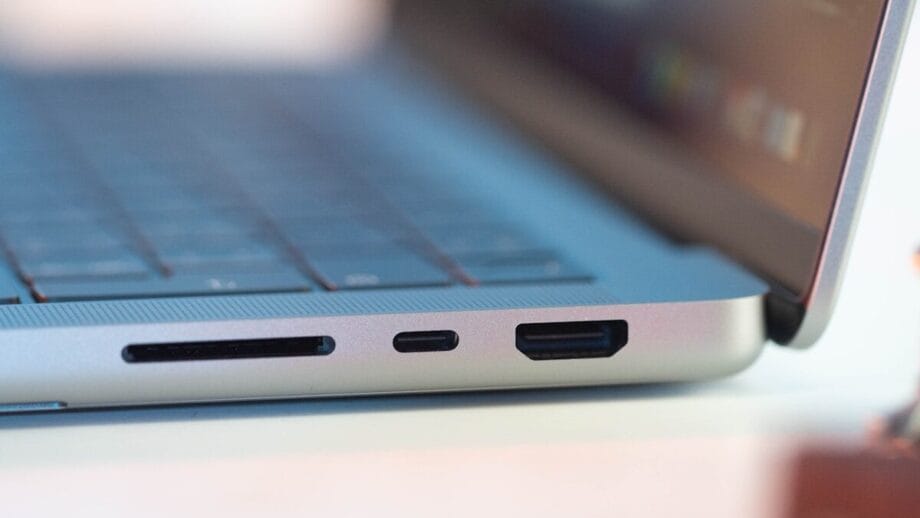
High Definition Multimedia Interface, commonly known as an HDMI cable, tends to go through several issues over time. The following are some of the common problems that you might experience with HDMI wires:
- No Signal or Blank Screen: This is one of the most common issues found while using HDMI wires. You can experience no signal or a blank screen on your device. If the cable is not properly inserted or has loose ends, physical cable ports are damaged, you have selected the wrong input source, etc., then this type of problem might happen.
- Disrupted Signals and Display Flickering: Sometimes users experience signal disruption problems and display flickering issues while using an HDMI cable for pc or other devices. This may happen due to the larger length of cable, degraded quality cable, poor signal-capturing capacity, etc.
- Device Compatibility: Your HDMI wires can raise compatibility issues when you connect them to different devices. There are several HDMI standards introduced in the market, for example,4K, HDR, HDCP-protected HDMI, etc. Old wires can malfunction while you connect devices with new HDMI standards. Also, device resolution problems may lead to further compatibility issues.
- Audio Synchronisation Issues: If your cable doesn’t support ARC (Audio Return Channels), it may lead to audio synchronisation issues. Sometimes you will see the video, but no audio will be there, or there will be audio mismatch problems. This could be the result of wrong output settings or any firmware problems.
- HDCP Problems and Handshake Failures: High-bandwidth Digital Content Protection, or HDCP, is a new content protection standard recently introduced. This content standard is sometimes unsupported by HDMI cables because the digital negotiation between the device and cable gets disrupted. As a result, Handshake failure happens, which indicates no picture in your device or no audio.
- Software Issues: Software Issues are quite common while using HDMI wires. Suppose you are going to use an HDMI cable for a TV or any other old device. Now, if your TV or the device you are going to connect with the HDMI wire has an outdated driver, or old graphics card, or outdated firmware, then this might lead to severe problems in signal transmission.
- Length Issues: Long-distance cables can lead to poor signal issues. When you increase the length of your HDMI cables beyond 5 meters, its signal transmission capacity gets affected. You might face signal issues that lead to display or audio problems.
- Physical Damages: Improper handling, excessive bending, debris build-up, or dust particles, etc., can physically damage the HDMI cable. Sometimes, over time, the outer sheath of the cable got damaged too. This results in performance failure.
Troubleshooting Common HDMI Cable Issues
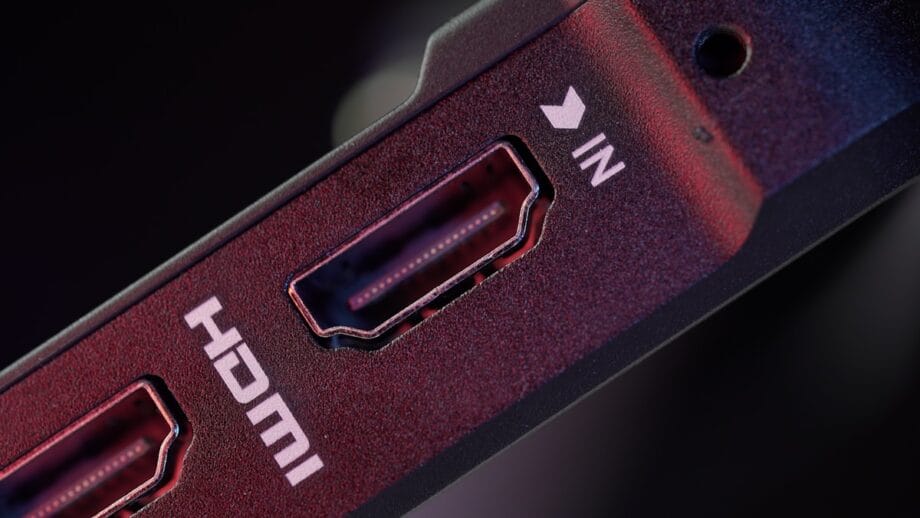
A lot of problems related to HDMI cables can easily be solved. The following step-by-step troubleshooting techniques you must follow every time you face any difficulty related to your HDMI wire:
- Check the Cable Connection Physically: It is important to always inspect the cable physically to ensure there is no loose connection at the source and display plugs. Also, you must check if there is any debris or dust build-up or any kind of physical damage happening. Proper checking and cleaning can solve many problems related to your cable.
- Verify the Power and Input Settings: Ensure you have powered on all the devices, and the wire is connected to the exact input port. Most of the time, the problem happens because of a disruption in the power supply and the selection of the wrong input settings.
- Look for Alternative Ports: Always verify your wire by connecting it to alternative ports. Sometimes one port may fail to connect your wire with the desired output device because of settings issues or damaged ports. Connecting it to different sources might work.
- Reboot All Devices: If your device is not functioning properly and there is audio or video disruption, you can try rebooting all the devices connected with the HDMI cables. Just switch off the power and turn it on again to reconnect to see if the problem is solved. Problems like Handshake errors, HDCP errors can be solved by following this method.
- Software and Firmware Updation: Sometimes your device ports might not support the HDMI cable because of outdated firmware, graphics card, or device driver. In such cases, upgrading the software or firmware may give you positive results.
- Check for Output Settings Issues: Verify if the output settings of the display device are correct or not. Check the display settings, resolution, audio settings and formats, colour depth, refresh rates, etc.
- Check Warranty and Look for Customer Support: If the cable is still malfunctioning, you can contact customer support to have troubleshooting assistance. Look for warranty options if there are any.
Final Words

No matter if you are buying an HDMI cable for pc or for a TV, you must always buy quality products. This is one of the most important troubleshooting tips that you should follow to avoid future issues. Buying the right quality products will help you to avoid unnecessary internal and external damage. Along with that, you should always handle your HDMI cable with care.
Doing proper cleaning, avoiding unnecessary bending, etc., can improve the shelf life of the cable. If you require longer cables, try using cable extenders or signal boosters to keep up the signal. You can also take an expert opinion before choosing your cable. Following such tips, you can easily get a reliable HDMI connection.