Quick Summary
WordPress remains a prime target for increasingly sophisticated cyber threats, including AI-powered attacks, supply chain compromises, ransomware, and deepfake-driven social engineering. Traditional security measures are no longer sufficient. Modern cybersecurity for WordPress requires a proactive, multi-layered approach that includes secure managed hosting, DNS-level protection, hardware-based multi-factor authentication, geofencing, file integrity monitoring, database hardening, and browser security headers.
Businesses should also follow the 3-2-1-1 backup strategy, leverage AI-driven security automation, and ensure compliance with data privacy regulations such as GDPR. By adopting a zero-trust mindset and continuously updating defenses, website owners can better protect their WordPress sites against next-generation cyber threats.
Introduction
As we navigate the digital transformation landscape, WordPress remains the world’s most popular content management system, powering most of the internet. However, its ubiquity makes it the primary target of a new type of cyber adversary. The script of the past has been replaced by sophisticated AI-driven botnets, automated zero-day exploit hunters, and ransomware-as-a-service (RaaS) operations.
In this era, traditional security measures, such as simply installing a plugin and choosing a strong password, are no longer enough. Protecting a WordPress site today requires a multi-layered, proactive strategy that anticipates Next-Gen threats.
The Evolution of the Threat Landscape

Also, before diving into defenses, we must understand what we are up against.
AI-Driven Force
Hackers now use Large Language Models (LLMs) alongside neural networks to predict passwords from leaked data and user behavior patterns. These AI bots can bypass basic rate limiting by rotating IP addresses across millions of Internet of Things devices, which, in turn, makes them appear to be legitimate distributed traffic.
Supply Chain Attacks
Instead of attacking your site directly, hackers target the plugins and themes you trust. The attackers inject malicious code into a popular plugin’s update repository, allowing them to access hundreds of thousands of websites simultaneously.
Deepfake Social Engineering
Social engineering has gone high-tech. Attackers may use AI-generated audio or video to impersonate a site administrator or hosting provider, tricking junior editors into handing over credentials or turning off security protocols.
Core Infrastructure: The First Line of Defense

Cybersecurity for WordPress starts before you even install it. Your hosting environment is the foundation of your security posture.
Secure Managed Hosting
In the current climate, shared hosting is a liability. Modern websites should choose managed WordPress hosting that offers:
- Isolation: Ensuring that a breach on one site does not leak into others on the same server.
- Auto-Patching: The host should automatically patch WordPress core and critical plugin vulnerabilities as soon as they are discovered.
- Hardware-Level Web Application Firewalls (WAF): Always focus on filtering out malicious traffic before it reaches your WordPress installation.
DNS-Level Protection
Using a service like Cloudflare is mandatory. By routing your traffic through a global network, you hide your server’s actual IP address, protecting you from direct-to-IP DDoS attacks.
Strengthening Authentication: Beyond the Password
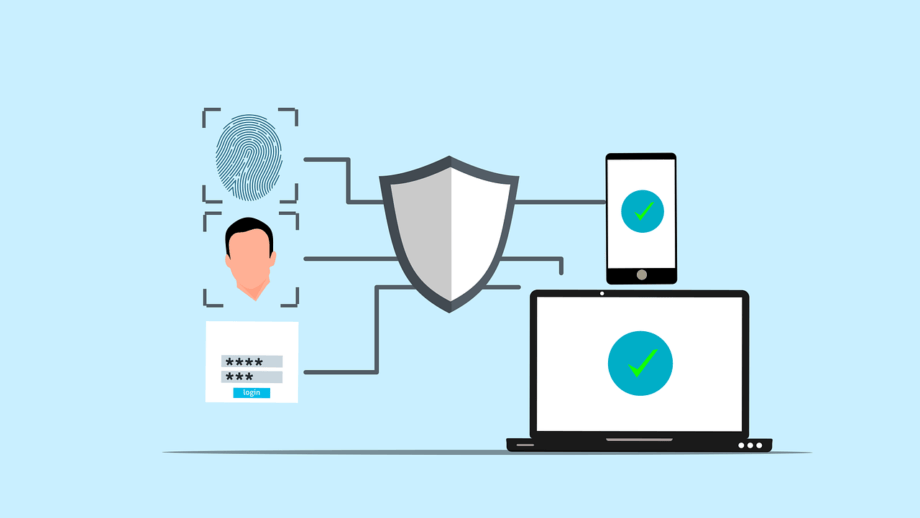
Passwords are the weakest link in the security chain. Also, we must move toward a zero-trust architecture.
Multi-Factor Authentication (MFA)
The standard 2FA (SMS codes) is now considered insecure due to SIM-swapping attacks. Next-gen security requires:
- Hardware Keys: Using physical devices like YubiKeys.
- Biometric Passkeys: Leveraging Windows Hello, Apple FaceID, or Android fingerprint sensors to log in without a password.
Geofencing and Time-Based Access
If your team only works from the UK during business hours, your WordPress login page should not be accessible from other countries. Modern security plugins now allow you to geofence the area, which helps drastically reduce the attack surface.
Advanced Monitoring

Hackers often hide inside a site for weeks before striking. So, detecting indicators of compromise (IoC) is vital.
Integrity Monitoring
Use tools that take a snapshot of your core WordPress files. If a single line of code changes without your authorization, the system should immediately lock down the site and alert you.
Database Security
Most users forget about the database, as hackers increasingly leverage SQL Injection to extract user data or create hidden admin accounts. Always ensure your database prefix is changed from the default and that your database user has the minimum permissions required to function.
Content Security Policy (CSP) and Headers

Modern browsers have built-in security features that most WordPress users fail to use. Always focus on implementing security headers, which help you to prevent many common attacks:
- Strict-Transport-Security (HSTS): This forces the browser to communicate only over encrypted HTTPS.
- X-Frame-Options: This prevents Clickjacking by stopping your site from being loaded in an iframe on a malicious domain.
- Content-Security-Policy (CSP): This specifies which scripts are allowed to run, effectively mitigating Cross-Site Scripting (XSS) attacks.
The Role of Backups in Ransomware Defense
If the worst happens and your site is hit by ransomware, your backup is your only lifeline. However, sophisticated malware targets your backups first. Hence, the main focus should be on the 3-2-1-1 rule.
The 3-2-1-1 Rule
- 3 copies of your data.
- 2 different media types: cloud and local.
- 1 copy off-site.
- 1 immutable copy.
An immutable backup cannot be changed or deleted for a set period, which means even if a hacker gets your admin credentials, they cannot wipe your recovery files.
Automating Response with AI

If a botnet attacks your site at 2:00 AM, you will not be available to stop it. Additionally, security is an algorithm-versus-algorithm battle. Further, by implementing security orchestration, automation, and response (SOAR) tools for WordPress. These AI systems can detect a pattern of failed logins or suspicious file edits and automatically:
- Block the offending IP across the entire firewall.
- Force a password reset for all admin users.
- Roll back the site to a clean version from 10 minutes prior.
Regulatory Compliance: GDPR and Beyond

Cybersecurity for WordPress is not just about tech; it is about the law. The data privacy laws have become even stricter. A hacked WordPress site that leaks customer data can result in bankruptcy fines. Further, always ensure your site is secure, which is now a legal requirement. Implementing Privacy by Design, which encrypts data at rest and collects only the bare minimum of user information, is essential for any modern WordPress business.
Conclusion
There is no ultimate solution for WordPress security. As we face the challenges, we must shift our mindset from defending the perimeter to assuming breach. Focus on adopting a proactive, multi-layered approach combining AI-driven tools, hardware-based authentication, and a rigorous update culture, and you can ensure your WordPress site remains a fortress.
Finally, in the fast-evolving world of next-gen threats, the most secure websites are those that stay agile, stay up to date, and never assume they are too small to be targets.


