Quick Summary:
Website security is no longer optional. Protecting your site from hackers requires a multi-layered approach covering infrastructure, code, access control, and continuous monitoring. Key practices include enforcing HTTPS, choosing secure hosting, deploying a WAF, following secure coding standards, keeping all software updated, and implementing strong authentication with least-privilege access. Regular audits, penetration testing, and a clear incident response plan ensure you stay resilient against evolving cyber threats while safeguarding data, trust, and brand reputation.
Introduction
In the modern digital landscape, a website is an important asset, but it also signifies a considerable security risk. Hackers are constantly developing new methods for exploiting weaknesses, which in turn makes robust web security not just an option, rather a compulsory requirement for any organization.
A security breach can usually result in devastating consequences like data theft, loss of customer trust, regulatory fines, along considerable financial damage. Protecting your online presence is very important, which mostly requires a multi-layered, proactive, as well as continuously updated strategy.
This complete article explains the top web security practices that can be applied across infrastructure & hosting, application development, access management, as well as ongoing maintenance & auditing, which in turn helps in offering a robust framework for protecting your website against the most prevalent cyber threats.
Foundational Security: Infrastructure and Hosting

The foundation of a secure website mostly lies in its hosting environment, along with the protocols that govern data transmission. Securing this base layer is an important first step in defense.
1. Implement and Enforce HTTPS/SSL/TLS
HTTPS (Hypertext Transfer Protocol Secure) is a secure version of HTTP where all communication between your browser and website is encrypted through SSL (Secure Sockets Layer) or its modern successor, TLS (Transport Layer Security).
- Install an SSL/TLS Certificate: Attaining a certificate from a trusted Certificate Authority (CA), as well as installing it on your web server, is very important. Select a certificate type that meets your needs (e.g., domain validation for basic sites or extended validation for facilitating maximum trust).
- Apply Sitewide Encryption: Configuring your server in a manner that redirects all HTTP traffic to HTTPS is also an essential step, which helps in making sure that each and every page is secure.
- Use HSTS (HTTP Strict Transport Security): It is very important to use the HSTS header for instructing browsers to only interact with your site by using HTTPS, even in cases where a user attempts to connect through HTTP. This, in turn, helps in preventing “protocol downgrade” attacks.
- Verify Strong Algorithms: It is essential to make sure that your certificates, as well as server configurations, use modern, robust cryptographic algorithms (e.g., SHA-256 for hashing and TLS 1.2/1.3 protocol versions) for facilitating improved web security.
2. Choose a Secure and Managed Hosting Provider
Your hosting provider is probably your first line of defense. A quality host is capable of offering baseline security measures that are difficult as well as expensive to replicate yourself.
- Server Hardening: It is important to pick a host that practices server hardening, including disabling unnecessary services, closing unused ports, as well as implementing strong access controls.
- DDoS Protection: You must make sure that the host provides distributed denial of service (DDoS) protection for absorbing large volumes of malicious traffic that are capable of taking your site offline.
- Automatic Backups: Make use of automated, off-site backups with a clear retrieval plan, which plays an important role in cases of a breach or disaster, as a clear backup acts as your safety net.
- Firewall & Network Security: It is essential to look for built-in network firewalls along with intrusion detection/prevention systems for monitoring as well as blocking any suspicious network traffic.
3. Deploy a Web Application Firewall (WAF)
A web application firewall acts as a security filter between the internet and your web application while protecting it from application-layer attacks (Layer 7).
- Filtering Malicious Traffic: A WAF is capable of inspecting incoming HTTP/S traffic as well as blocking common attack vectors like SQL injection (SQLi), cross-site scripting (XSS), and cross-site request forgery (CSRF) before they even reach your server.
- Custom Rule Sets: It is important to configure the WAF with custom rules that are tailored to your application’s logic for protecting against specific vulnerabilities.
- Virtual Patching: You must use the WAF for applying temporary “virtual patches” for recently detected vulnerabilities until the application code can be permanently updated.
Application and Code Security

The application layer, which includes the source code, CMS, themes, and plugins, is the place where most vulnerabilities reside due to which secure development practices essential.
4. Practice Secure Coding and Input Validation
The vast majority of application attacks exploit flaws in how the code handles user input. Also, the major factor to safeguard the application is to never trust data coming from a user or an external source.
- Input Validation: The priority task is to perform strict validation on all user input. Also, validate for data type, format, length, and content. Use allow-listing over block-listing, which is often insufficient.
- Prevent SQL Injection: There should be the use of Prepared Statements with parameterized queries for database interactions. This separates the SQL logic from user data, which in turn ensures that the input is treated as data, not as executable code.
5. Patch and Update Software Religiously
The outdated software is the entry point for hackers, who rely on automated tools to scan for unpatched vulnerabilities.
- CMS, Plugins, and Frameworks: Maintain a rigorous schedule for updating content management systems (CMS), themes, plugins, as well as third-party libraries by applying security patches instantly.
- Server Software: The key factor is to regularly update the operating system (OS), web server, as well as database management system to the latest stable and secure versions.
- Dependency Management: There should be an increased adoption of dependency management tools for monitoring weaknesses in all third-party libraries used in the project.
6. Implement Secure Error and Logging Procedures
Improper error handling can leak sensitive information about applications as well as server structure, which a hacker uses to plan an attack.
- Generic Error Messages: Organize the application to display generic error messages to users, such as an error occurred. Additionally, do not expose database queries, file paths, or system details to attackers.
- Detailed Logging: Moreover, the key factor is to ensure that full attack information, system activity, as well as security-relevant events are documented in secure logs.
- Log Monitoring: Also, monitor and analyze logs for footprints of suspicious activity, such as repeated access attempts and others.
Authentication and Access Control

Moreover, inadequately managed accounts are an entry point for attackers, and strong authentication must protect data from attackers.
7. Enforce Strong Authentication Mechanisms
Passwords are the most frequent point of failure, and strengthening user authentication is a critical defense layer.
- Multi-Factor Authentication (MFA): Implementing MFA for all administrative as well as privileged accounts is the key factor to make attacks significantly harder with the help of a second verification method in addition to a password.
- Strong Password Policy: Mandate complex passwords with a minimum length of 12-16 characters as well as a mix of character types. Additionally, deny common passwords and encourage the use of a password manager.
- Secure Password Storage: Moreover, do not store passwords in plain text; use a strong algorithm to secure all passwords before storing them.
- Account Lockout: Additionally, the factor is to implement a mechanism to temporarily lock accounts after a specific number of failed login attempts to safeguard the account from attackers.
8. Apply the Principle of Least Privilege (PoLP)
The Principle of Least Privilege (PoLP) determines that an operator, process, or procedure should have the bare minimum authorizations essential to execute its expected task.
- Role-Based Access Control (RBAC): It outlines granular roles as well as authorizations for every user. For example, an editor of content should not have the capability to change server settings or the structure of the database.
- Limit Admin Accounts: There should be a limit to the number of users who have administrative or user access.
- Database Privileges: There should be independent database accounts for several application functions, and each one should have minimal benefits. Also, read-only components should have only permissions for the Select option, not Insert, Delete, or Update.
9. Secure Session Management
A session is defined as the time when a user is active and has logged into the system. One can use weak session management to capture a genuine user’s identity.
- Secure Cookies: There should be use of the secure cookies by the HttpOnly flag to avoid client-side scripts from getting access to cookies, and the Secure flag to make sure cookies are sent over HTTPS.
- Strong Session IDs: Session identifiers that are cryptographically arbitrary as well as lengthy need to be generated
- Session Timeouts: There should be implementation of idle-user logouts and mandatory session timeouts, particularly for admin sessions. This will help in minimizing the chances of an attack.
Continuous Security and Incident Response
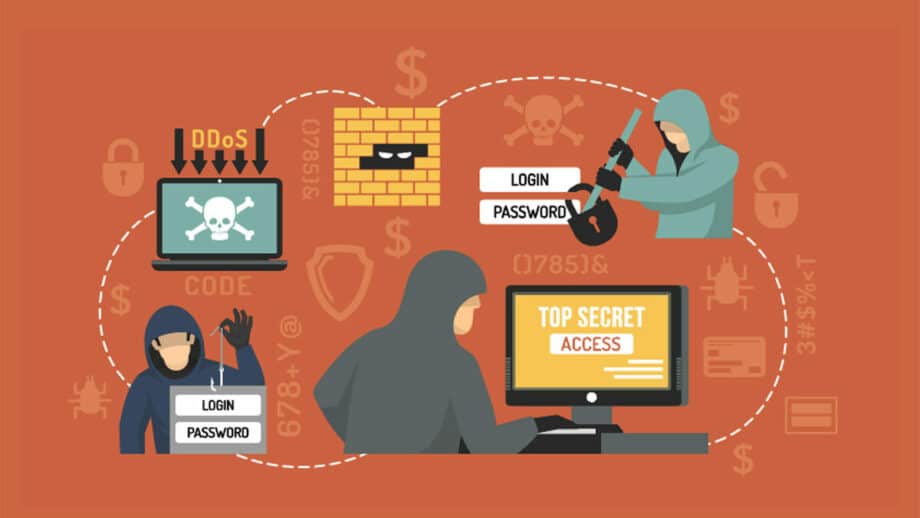
Security is not a one-time setup, but rather a continuing method. Continuous monitoring as well as testing are necessary to maintain a robust posture.
10. Conduct Regular Security Audits and Penetration Testing
Actively examining for limitations is far better than waiting for a violation or breach to appear.
- Vulnerability Scanning: There should be the use of programmed tools to regularly scan sites for recognized vulnerabilities as well as misconfigurations.
- Manual Penetration Testing (Pen Testing): Hire a security team to run penetration testing regularly. Moreover, pen test copies a real-world attack to identify and exploit vulnerabilities.
11. Prepare an Incident Response Plan
Even with the use of the best defense and security measures, the occurrence of a breach is always a possibility. A well-defined plan helps in making sure that you can respond quickly as well as effectively to minimize damage.
- Defining Roles and Responsibilities: It is necessary to assign roles and separate people who are accountable for detection, containment, eradication, as well as recovery.
- Strategy for Containment: Pre-planned steps for isolating affected systems (e.g., taking the site offline, disabling compromised accounts) to stop the spread of attacks are very important.
- Communication Plan: Outlining who needs to be notified (e.g., customers, legal team, regulators, law enforcement), along with communication messaging, plays an important role in incident response.
Conclusion

Site security is a constant commitment that requires watchfulness as well as financing. One can create several strong layers of defense by diligently implementing these practices. This will ensure data encryption, secure coding, strong access controls, as well as regular testing. The objective is to be secure and to make it substantially harder to breach, which in turn is going to protect data, customers, and the organization’s reputation.