Quick Summary
4K downloading using Tubly Downloader is not just about selecting a higher resolution. Codec efficiency, bitrate, bandwidth stability, frame rate, and storage capacity all influence the final file size and playback experience.
Understanding these factors helps avoid slow downloads, wasted storage, and compatibility problems. It also allows you to choose the right balance between quality and practicality for your screen and internet speed.
As 4K becomes more common across devices, making informed decisions about codecs, bandwidth, and storage matters more than ever.
Introduction
4K video consumption is rising across laptops, smart TVs, and mobile devices. However, many people search for a YouTube 4K downloader without fully understanding what 4K really demands.
Downloading ultra‑high‑definition video is not just about choosing a higher resolution. Codecs, bitrate, bandwidth, and storage space all affect file size, download time, and playback performance.
In this guide, we will break down these technical basics in simple English. If you plan to use Tubly Downloader for 4K videos, understanding these factors will help you download smarter and avoid storage or compatibility issues.
What Does 4K Mean on YouTube?

The 4K videos are being downloaded by many users without proper knowledge of their file size and storage.
Knowing the basics allows you to select the appropriate quality when you are downloading something with the Tubly Downloader extension.
YouTube resolution is 3840 × 2160, also known as Ultra HD or 4K. It is four times the summative pixel count of 1080p (1920 × 1080). The higher the number of pixels, the sharper the details, particularly on large screens.
Greater detail always results in larger file sizes. A 4K video contains much more visual data, so downloads take longer and require more storage.
YouTube also compresses 4K videos using modern codecs to reduce bandwidth usage. This helps with streaming, but file sizes are still significantly larger than 1080p.
Understanding Video Codecs in 4K Downloads
The codec used to compress the video plays a major role in size, quality, and device compatibility.
Understanding codec and video compression basics helps you predict file size, download time, and whether your device will play the video smoothly. A codec is a technology that compresses and decompresses video files. It reduces file size while trying to keep visual quality intact.
Common YouTube 4K Codecs
H.264 (AVC)
- Widely compatible across devices.
- Larger file size when used for 4K.
H.264 works on almost all laptops, TVs, and mobile devices. However, it is less efficient for 4K, which results in bigger downloads.
H.265 (HEVC)
- Better compression than H.264.
- Smaller file size with similar quality.
H.265 reduces file size while keeping great detail. Not all older devices support it.
VP9
- Used heavily by YouTube.
- Good compression performance.
YouTube often delivers 4K streams in VP9, especially on Chrome and compatible browsers. It balances size and quality well.
AV1
- Newer and highly efficient.
- Lower bandwidth usage.
AV1 has still greater compression than VP9 or HEVC. However, many older GPUs, smart televisions, and laptops still cannot support hardware decoding.
The video is compressed using different codecs. As an example, a 10-minute 4K video in H.264 can be significantly larger compared to the same video in H.265 or AV1. Compression is enhanced to imply that there will be reduced storage and faster downloading.
Why Some Devices May Not Support AV1 or HEVC?
Older CPUs and GPUs may lack hardware decoding support.
Without hardware support, 4K playback can lag or stutter because the processor must decode the video manually. This is common on older laptops and entry‑level devices.
Why YouTube Serves Different Codecs?
YouTube automatically selects codecs based on:
- Browser (Chrome, Firefox, Edge).
- Operating system.
- Device hardware capability.
For example, Chrome may receive VP9 or AV1, while Safari may default to H.264 or HEVC depending on device support.
When using Tubly Downloader for 4K videos, understanding codecs helps you choose files that match your device. This avoids playback issues and unnecessary storage waste.
Bitrate and Bandwidth: Why 4K Requires More Data
Bitrate is measured in megabits per second (Mbps). It determines how much data a video uses per second. Higher bitrate means better visual quality and larger file sizes.
Higher bitrate = more data per second = bigger file
Estimated Bitrate Comparison
- 1080p: ~8 – 12 Mbps.
- 4K: ~20 – 60 Mbps (depending on codec and compression).
4K videos can require two to five times more data than 1080p.
Why Slower Internet Struggles with 4K Downloads
If the internet speed is less than the bitrate of the video, it may take longer to download the video. Bandwidth is more important than internet speed to ensure uninterrupted downloads of large 4K videos.
20 Mbps is equal to 2.5 MB/s. If the internet speed is 2.5 MB per second, it may take approximately 2-2.5 hours to download 20 GB or 20,000 MB of data.
Storage Requirements for 4K Video Downloads
4K videos are much larger than 1080p videos, so storage is a significant consideration. This is especially true when using Tubly Downloader. Typical file sizes include:
- 10-minute 4K video: 3 – 8 GB.
- 1-hour 4K video: 20 – 45 GB.
Factors Affecting File Size
- Codec: Efficient codecs like H.265 or AV1 reduce file size.
- Bitrate: A higher bitrate increases the data per second, enlarging the file.
- Frame rate: 60fps videos use more space than 30fps videos.
- HDR content: HDR10 or Dolby Vision adds extra data for color depth.
Storage Planning Tips
- SSD vs HDD: SSDs provide faster access and smoother playback, while HDDs offer larger capacity at a lower cost.
- External drives: Useful for storing large 4K collections without filling internal storage.
- 1TB storage estimate: Around 200 – 300 10-minute 4K videos can fit on a 1TB drive, depending on codec, bitrate, and HDR usage.
Using Tubly Downloader, users can check file sizes before downloading and manage storage efficiently to avoid running out of space.
Frame Rate and HDR: Hidden Factors in 4K Downloads
Frame rate and HDR can significantly affect 4K video size and bandwidth usage when you are using Tubly Downloader tools.
- 30fps vs 60fps: Videos at 60fps are smoother, but they are double the file size of 30fps content. Use 60fps for fast-moving action, gaming, or sports. And 30fps is sufficient for lectures, vlogs, or any basic viewing.
- HDR10 and Dolby Vision: These formats increase file size by storing more color and brightness information, improving visual quality but requiring more storage.
- High-action content: Gaming or action videos generate more frames per second and often higher bitrates, consuming more bandwidth during downloads.
Selecting the right frame rate and HDR setting with Tubly Downloader helps balance quality, storage, and download time.
Device Compatibility Considerations
Before downloading 4K videos, it is important to ensure your device can handle playback smoothly.
Key factors to check:
- GPU decoding support: Hardware acceleration lets your graphics card handle video decoding, reducing CPU load.
- CPU performance: Older or low-power processors may struggle with 4K playback, causing lag or stutter.
- Smart TV codec support: Not all TVs support newer codecs like HEVC or AV1.
- Browser playback limitations: Some browsers may only support certain codecs, affecting playback quality.
- Mobile storage constraints: 4K files are large; ensure sufficient space on your device.
Hardware acceleration is crucial because it allows the GPU to decode 4K video efficiently. Without it, older laptops rely on the CPU, which can be too slow for smooth 4K playback. Using Tubly Downloader, you can select compatible codecs and resolutions to match your device capabilities.
Is 4K Downloading Always Necessary?
Downloading in 4K isn’t always required.
On a smaller screen like a 13-inch laptop, the difference between 1080p and 4K might not be very noticeable. It’s also worth mentioning the viewing distance. For example, if we’re watching a large screen like a TV from a distance, 1080p might look almost as good as 4K.
For many videos, 1080p strikes a good balance between video quality and file size. But going with 4K means using more storage space and waiting longer to download the video.
How to Choose a YouTube 4K Downloader

Not every YouTube 4K downloader handles ultra-high-definition files properly. Large 4K videos require codec flexibility, stable transfers, and clear storage planning.
According to the National Institute of Standards and Technology (NIST), users should always evaluate software reliability and compatibility before installing browser extensions:
When choosing a YouTube 4K downloader, look for the following:
- Support for multiple codecs: The downloader should handle common YouTube codecs such as H.264, HEVC (H.265), VP9, and AV1. This ensures compatibility across different devices.
- Ability to select resolution and bitrate: Users should be able to choose 1080p or 4K and understand the impact on file size and quality.
- Stable downloads for large files: 4K videos can reach 20-40 GB for long content. The downloader must handle large transfers without interruptions.
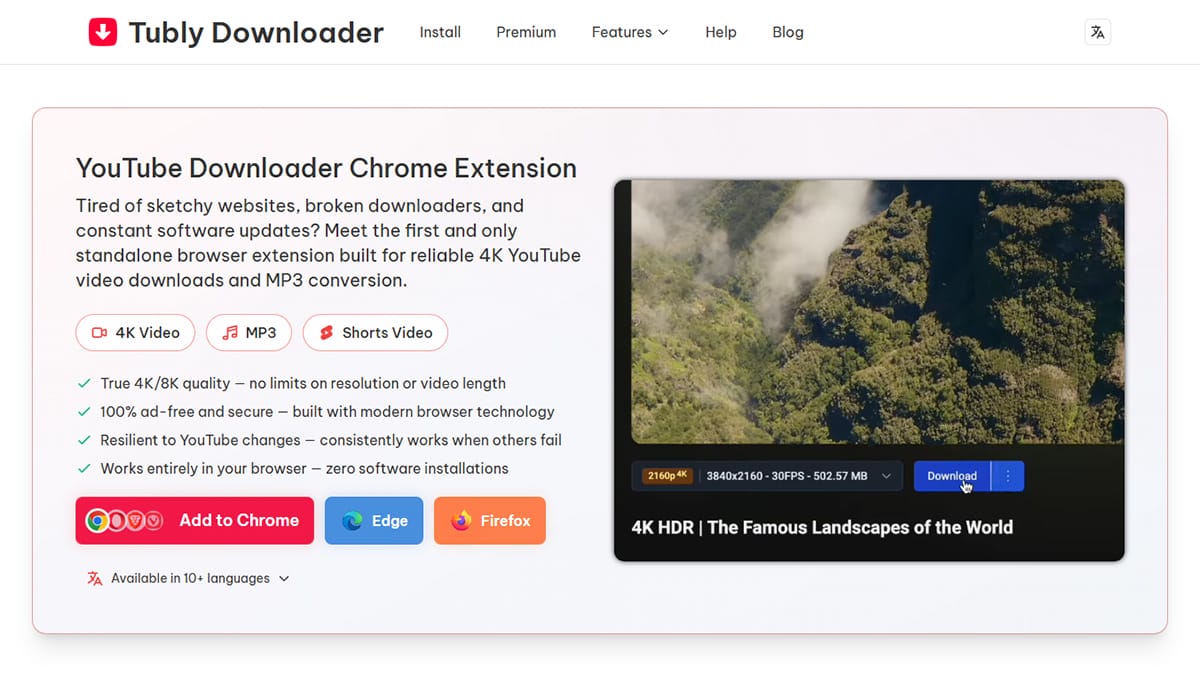
- Clear file size estimation before downloading: Seeing the file size in advance helps avoid running out of storage.
- No intrusive ads: An ad-free environment reduces distractions and lowers the risk of misleading pop-ups.
- Browser compatibility: A browser-based extension should work smoothly across Windows, Mac, Linux, and ChromeOS without additional software.
Tubly Downloader meets these criteria. It supports high-resolution downloads, provides clear file size information, works directly inside Chrome, and remains ad-free for all users.