Quick Summary
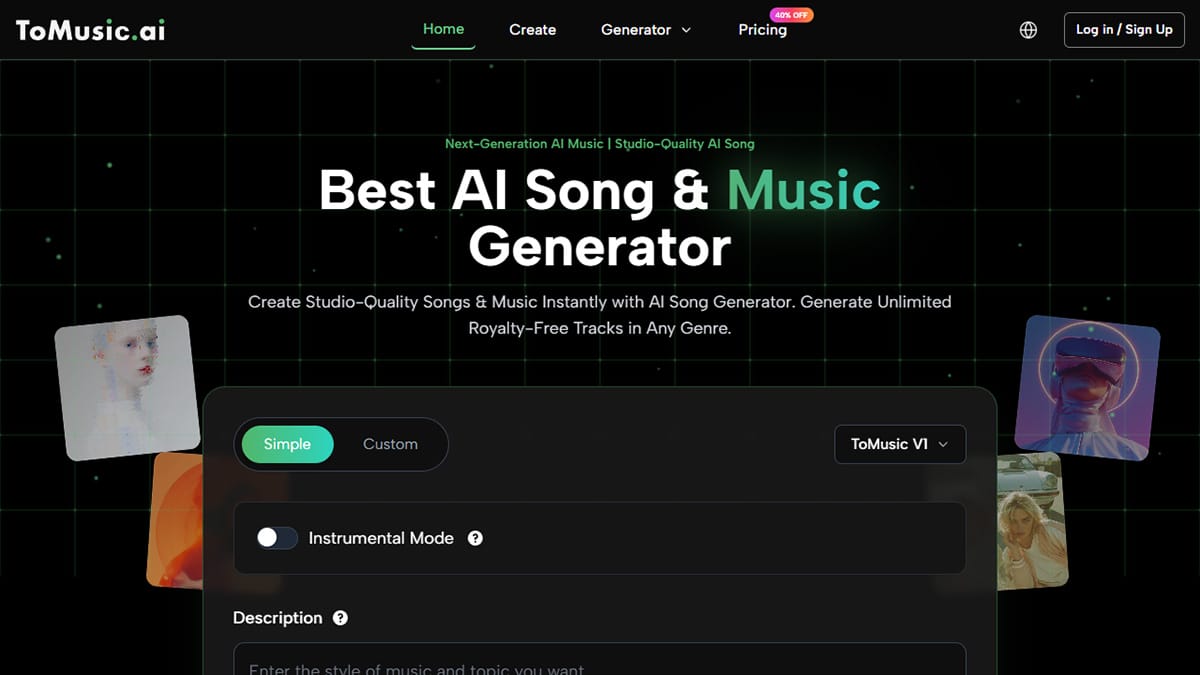
ToMusic.ai lowers the barrier between an idea and a finished music draft by turning plain-language prompts into complete, listenable tracks in minutes. Instead of starting with complex software and technical setup, creators begin with mood, purpose, and emotion, then iterate quickly through variations.
It’s not a replacement for full music production or precise control, but a fast, practical middle ground – more flexible than stock music and far less demanding than a DAW – ideal for rapid ideation, prototyping, and momentum-driven creative work.
Introduction
You’ve probably had this moment: a melody in your head, a vibe you can almost hear, but no clear path from “idea” to “audio.” Maybe you’re making a short video, a podcast intro, a game scene, or you’re simply trying to turn a few lines of lyrics into something that feels alive. The frustrating part is not a lack of creativity – it’s not having the tools, time, or energy to translate emotion into arrangement without breaking momentum.
That’s the gap I tested ToMusic.ai for. I wasn’t looking for a shortcut to “great music,” but for a way to reduce friction in the earliest stage of creation. The first thing I noticed was how quickly it turns a simple prompt into something genuinely listenable. With a text-driven, song-oriented workflow, the platform is essentially asking: “Describe what you want, and I’ll handle the musical scaffolding.” It doesn’t replace musical taste or judgment, but it removes much of the resistance between imagination and output.
The Real Problem: Music Creation Has a High “Startup Cost”
Traditional music production is powerful, flexible, and deeply expressive – but it also demands commitment before you even know whether an idea works.
To get started, you usually need:
- The right software, plus time to learn it well enough not to fight it.
- Instruments, sounds, plugins, or sample libraries that fit your idea.
- A workflow that can survive constant trial and error without draining motivation.
For creators working under time pressure, that startup cost often kills momentum. In my own projects, I’ve seen the pattern repeat itself: I’ll have a clear sense of mood – warm lo-fi, cinematic tension, upbeat pop – but I delay acting on it because the build process feels heavy. By the time the session is open and the tools are loaded, the emotional spark has already cooled.
AI-assisted music generation shifts the starting point. Instead of building from a blank DAW session, you begin with language. You start where the idea already exists.
How ToMusic.ai Works (What’s Actually Happening Under the Hood)
From the outside, ToMusic.ai feels simple: you write text, choose a direction, and generate. But that simplicity hides a layered process that’s worth understanding if you want consistent results.
Here’s the practical flow as I experienced it.
1. You Describe the Music
You write what you want in normal language: mood, genre, tempo, feel, instrumentation, or use-case (intro, background, lyrical focus, cinematic build, and so on). There’s no need for technical jargon. In fact, overly technical prompts often perform worse than emotionally clear ones.
2. The System Interprets Intent, Not Just Keywords
The model treats your words as creative constraints. It’s not only scanning for genre labels; it’s extracting structure: intensity, pacing, emotional color, and implied arrangement choices. A sentence about “gradually opening energy” tends to produce different results than one describing a static mood.
3. It Composes and Produces a Full Piece
The output isn’t merely a loop. It aims to be a coherent musical track, with recognizable form and progression. You can hear an introduction, development, and resolution – even if the result is still rough around the edges.
4. You Iterate Quickly
This is where the system becomes practical rather than impressive. Small changes in wording often lead to noticeably different outcomes. That makes exploration cheap, fast, and surprisingly informative.
In my testing, the most reliable results came when I wrote prompts the way I’d brief a human collaborator: clear mood, clear instrumentation, and a clear purpose.
What Changed for Me: The Iteration Loop Got Shorter
Before using ToMusic.ai, I spent a lot of time preparing to decide. I’d audition sounds, sketch progressions, and build rough arrangements just to find out whether an idea had emotional weight.
With a text-based workflow, the early stage looks different. I can generate several directions, listen critically, and decide whether the idea is worth further investment. That shift matters because most creative work isn’t about execution – it’s about selection.
The faster you can hear options, the faster you can choose. And the faster you choose, the more ideas actually make it past the starting line.
Where ToMusic.ai Fits Best (and Where It Doesn’t)
To keep expectations realistic, it helps to map the platform’s strengths and limitations honestly.
Strong Fits
- Content creators who need background music that matches a specific mood quickly.
- Marketers are producing multiple variations for different edits or platforms.
- Indie developers prototyping the sound direction of a game or app.
- Songwriters who want to hear how lyrics feel when placed in a musical context.
Not a Perfect Fit
- If you need precise control over every note, mix decision, or micro-timing detail, a full DAW workflow still wins.
- If your prompt is vague or contradictory, the output can drift. Clear intent leads to better results.
This doesn’t reduce the tool’s value – it clarifies how it should be used.
Comparison Table: 3 Common Paths to Music
The easiest way to understand where ToMusic.ai sits is to compare it with the two most common alternatives creators rely on today.
| Comparison Point | ToMusic.ai | Traditional DAW Production | Stock Music Libraries |
| Time to first usable draft | Fast (minutes) | Slow (hours or days) | Medium (search time) |
| Customization to your scene | High (via prompt iteration) | Very high (manual control) | Low to medium |
| Creative exploration | High | Medium | Low |
| Skill requirement | Low | High | Low |
| Consistency across versions | Medium | High | High |
| Best for | Rapid ideation and drafts | Precision and full control | Reliable “good enough” audio |
| Main limitation | Prompt sensitivity | Time and complexity | Generic feel |
This is why I see ToMusic.ai as a practical middle layer. It’s more flexible than stock music, less demanding than full production, and especially effective at helping you find a direction you can commit to.
Prompt Craft: Why Wording Matters More Than You Expect
One of the clearest lessons from testing was how much prompt quality affects results.
When I wrote short prompts like “happy pop,” the output was usable but generic. When I wrote prompts with purpose, emotion, and texture, the difference was obvious.
A template that worked consistently looked like this:
- Purpose: “background for a calm product demo”.
- Emotion: “warm, reassuring, lightly uplifting”.
- Texture: “soft synth pads, gentle guitar, subtle drums”.
- Energy curve: “starts minimal, slowly opens up”.
That kind of language reads like real creative direction, and the output tends to reflect that.
Limitations Worth Saying Out Loud
Acknowledging constraints makes the platform more credible, not less.
- Prompt quality matters. Vague prompts lead to generic results.
- Multiple generations are normal. The first output is rarely the best.
- Edge cases happen. Sometimes a track leans repetitive or misses a genre nuance you expected.
Treating early outputs as sketches – not finals – made the experience far more productive.
A Grounded Way to Use It
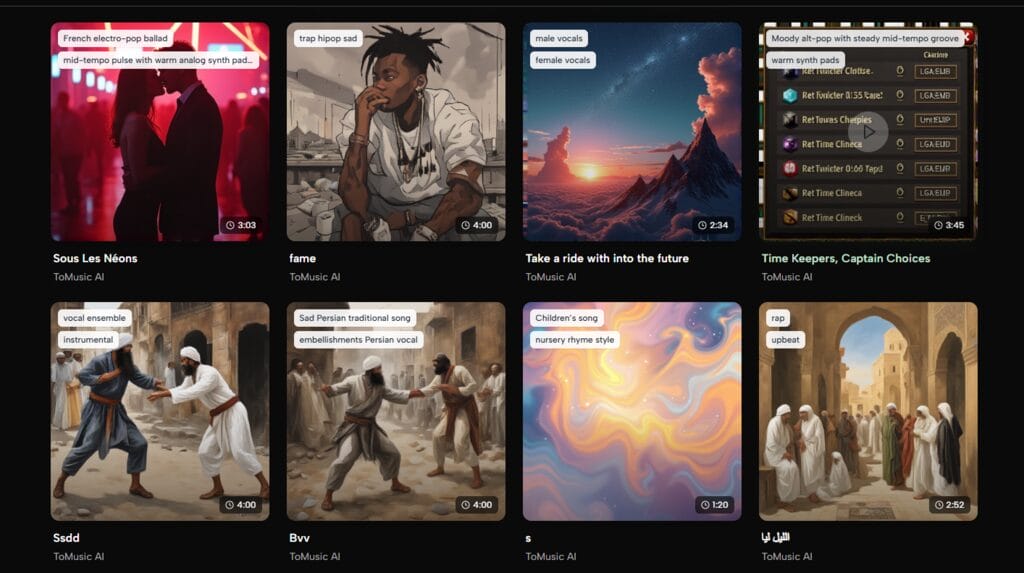
If you want ToMusic.ai to feel like a real tool rather than a novelty, a practical workflow looks like this:
- Generate several variations for the same idea.
- Choose the one that best matches your emotional intent.
- Refine the prompt using what you liked and disliked.
- Use the strongest result as the final audio or as a reference for further production.
This approach doesn’t assume perfection. It assumes iteration – and that’s where the platform shines.
Closing Thought: Not Effortless, but Friction-Light
ToMusic.ai won’t replace musical taste, storytelling, or judgment. But it can remove the most common blocker creators face: the heavy jump from idea to audible draft. If your goal is to explore musical directions quickly, and you prefer describing mood over engineering sound, it’s a tool worth experimenting with – especially when momentum matters more than polish.