Expansion of Apple Wallet ID Feature to Additional States
Residents in select U.S. states now have the opportunity to integrate their driver’s licenses or state identification cards into the Apple Wallet app on their iPhones and Apple Watches.
This functionality enables users to conveniently present proof of identity or age at designated airports, businesses, and applications.
Recent insights garnered from code analyzed by MacRumors indicate that Apple is poised to broaden this feature’s availability to three additional states: Oklahoma, Utah, and Virginia.
To initiate the setup, users should launch the Wallet app on their iPhones and tap the plus sign located in the upper-right corner.
Following that, select the option for Driver’s License and ID Cards, choose your state from the provided list, and adhere to the on-screen instructions to finalize the configuration.
States Supporting the Feature
The following states currently facilitate the inclusion of driver’s licenses within the Wallet app:
This feature is also accessible in Puerto Rico and Japan.
Airports Embracing the Technology
Apple Wallet IDs are recognized at TSA checkpoints across more than 250 airports in the United States for domestic travel.
It is crucial to note that, despite the convenience afforded by Apple Wallet IDs, they are not acknowledged by law enforcement and do not cover many other practical applications. Thus, travelers are still encouraged to carry a physical ID.
Some of the airports presently accepting this feature include — with hundreds of others available:
- Baltimore/Washington International Thurgood Marshall Airport (BWI)
- Ronald Reagan Washington National Airport (DCA)
- Washington Dulles International Airport (IAD)
- Phoenix Sky Harbor International Airport (PHX)
- Denver International Airport (DEN)
- Hartsfield-Jackson Atlanta International Airport (ATL)
- Cincinnati/Northern Kentucky Airport (CVG)
- John Glenn Columbus International Airport (CMH)
- San Francisco International Airport (SFO)
- San Jose Mineta International Airport (SJC)
- Los Angeles International Airport (LAX)
- Daniel K. Inouye International Airport (HNL)
- Des Moines International Airport (DSM)
- Eastern Iowa Airport (CID)
- Albuquerque International Sunport (ABQ)
- Lea County Regional Airport (HOB)
- Luis Munoz Marin International Airport (SJU)
- Billings Logan International Airport (BIL)
- Bozeman Yellowstone International Airport (BZN)
- Great Falls International Airport (GTF)
- Missoula International Airport (MSO)
- Chicago O’Hare International Airport (ORD)
- Chicago Midway International Airport (MDW)
- St. Louis Lambert International Airport (STL)
- Richmond International Airport (RIC)
- Norfolk International Airport (ORF)
- Roanoke-Blacksburg Regional Airport (ROA)
- Newport News-Williamsburg International Airport (PHF)
Travelers are advised to consult TSA signage to verify the availability of this feature.
Digital Passport Alternative
For individuals residing in states that have yet to incorporate Apple Wallet IDs, there exists the option to establish a Digital ID utilizing their U.S. passport.
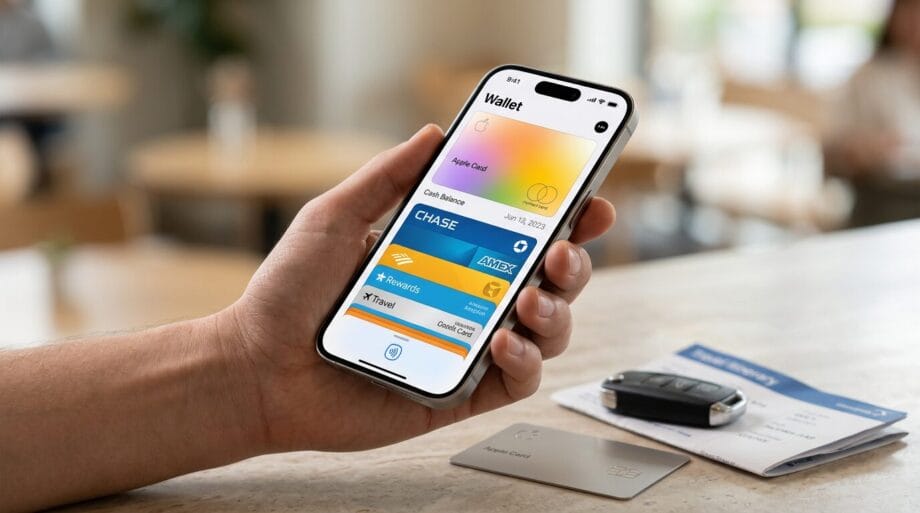
This can subsequently be presented at the same TSA checkpoints to verify age and identity during domestic travel.
It is essential to recognize that this feature does not serve as a substitute for a physical passport and remains inapplicable for international journeys.
The functionality necessitates iOS 16.1 or watchOS 6.1 and later versions.
Source link: Macrumors.com.