The iPhone transcends its primary function as a communication device, evolving into a multifaceted instrument tailored to your individual lifestyle and requirements.
Whether your objective is to amplify productivity, curate a bespoke home screen, or delve into imaginative possibilities, these eight applications provide invaluable solutions.
From effortless event orchestration to high-caliber photo enhancement, these applications are devised to render your iPhone more intelligent, efficient, and distinctly yours.
The accompanying video from iReviews elaborates further on these remarkable iPhone applications.
1. Gallery: Revamp Your Home Screen
Gallery epitomizes the quintessential app for personalizing the visual appeal of your iPhone. It boasts an expansive repository of wallpapers, encompassing dynamic live options that align with your aesthetic sensibilities.
The application allows you to preview how wallpapers and widgets coexist, ensuring a unified and refined design. By offering the capability to fabricate custom widgets, it melds practicality with artistry.
Be it a preference for sleek minimalism or bold, vivid imagery, Gallery empowers you to engineer a home screen uniquely reminiscent of your character.
2. Notice: Streamlined Event Management
Notice simplifies your scheduling endeavors with remarkable efficiency. This app scans your screenshots for dates and converts them into calendar entries with minimal effort.
It serves as an exceptional tool for tracking appointments, deadlines, and social gatherings. Each event can be enriched with detailed information, and the app integrates seamlessly with your iPhone’s native calendar.
Employing Notice ensures an organized lifestyle, preventing any vital commitments from escaping your notice.
3. MarkX: Precision Image Annotation
MarkX serves as a formidable tool for annotating photographs and screenshots. Whether your need is to insert comments, highlight specific details, or denote dimensions, this app offers precise utilities to fulfill your requirements.
Features such as cropping, zooming, and measurement tools make it ideal for both personal and professional contexts.
For those who frequently convey information visually, MarkX guarantees your annotations remain lucid, impactful, and aesthetically pleasing.
4. Radio Explorer: Global Audio Discovery
Radio Explorer connects users to an expansive realm of audio entertainment. With access to international radio stations, it allows exploration based on mood, genre, country, or language.
The app’s unique map-driven interface introduces an interactive dimension to your listening experience. Save your preferred stations for quick access and relish a tailored listening journey that traverses cultures and continents.
5. Camera: Elevate Your Photography Skills
For aficionados of photography, Camera provides advanced control over your imaging endeavors. You can modify settings such as ISO, HDR, and resolution to encapsulate images just as you envision them.
The app supports ultra-wide, macro, and telephoto lenses, offering flexibility for diverse photographic styles ranging from expansive landscapes to intricate close-ups.
With Camera’s professional-grade features, you can significantly enhance your photographic abilities and produce breathtaking visuals.
6. Top Widgets: Innovate Your Home Screen
Top Widgets elevates home screen customization to unprecedented heights. This application allows you to design widgets, app launchers, and even dynamic island elements tailored to your preferences.
With an extensive array of themes and styles, you can forge a home screen that is not only functional but visually striking. Top Widgets ensures your iPhone mirrors your personality while efficiently organizing your applications and information.
7. Next Up: Countdown to Significant Events
Next Up aids in maintaining focus by creating countdown widgets for noteworthy occasions. Be it a birthday, vacation, or project deadline, you can track remaining time with customizable themes and display options.
These widgets integrate seamlessly into your home screen, ensuring that your most significant dates are always visible. Next Up keeps you centered on what truly matters, facilitating planning and preparation with ease.
8. Transparent PNG: Simplified Photo Editing
Transparent PNG stands out as a versatile photo editing application, specializing in background removal. It empowers users to create overlays, restore deleted areas, and reposition objects with precision.
Whether designing graphics for a project or refining personal photographs, this app offers professional-grade tools to achieve polished outcomes.
Transparent PNG is ideal for individuals seeking to elevate their visual content with accuracy and simplicity.
Unlock the Full Spectrum of Your iPhone
These eight iPhone applications amalgamate functionality, creativity, and personalization, significantly elevating your device’s capabilities.
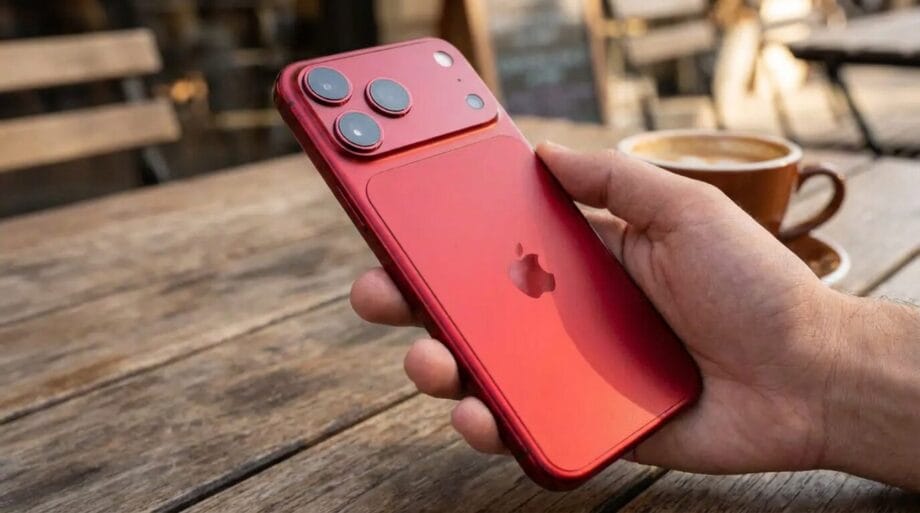
Whether it’s managing your schedule, customizing your home screen, or refining your photography, these tools cater to a diverse array of needs.
By embedding these applications into your daily activities, you can metamorphose your iPhone into a more efficient, personalized, and formidable companion. Delve into these applications today and unveil how they can enhance your iPhone experience.
Source link: Geeky-gadgets.com.