Quick Summary
Enterprise AI agents are autonomous systems that reason about goals, use tools, and act across business systems, not chatbots that answer one prompt at a time. Most pilots stall on the path to production because of weak integration, missing governance, and a lack of real observability. This guide covers deployment models, the controls that keep agents safe, and what it takes to scale from one agent to a workforce.
Introduction
Many agent pilots look great in a demo but never make it to production. The agent works, the leadership deck lands, and the project quietly stalls. The reason is rarely the model. The agent was never safely connected to real systems, never given an identity or guardrails, and could not be monitored once it left the demo environment.
Enterprise AI agents earn their keep only when they run on live data with controls that hold. That requires three things working together: a deployment model that fits the use case, governance that treats agents as first-class principals, and observability from day one rather than after the first incident. We walk through each and how they should be handled.
What are Enterprise AI Agents?
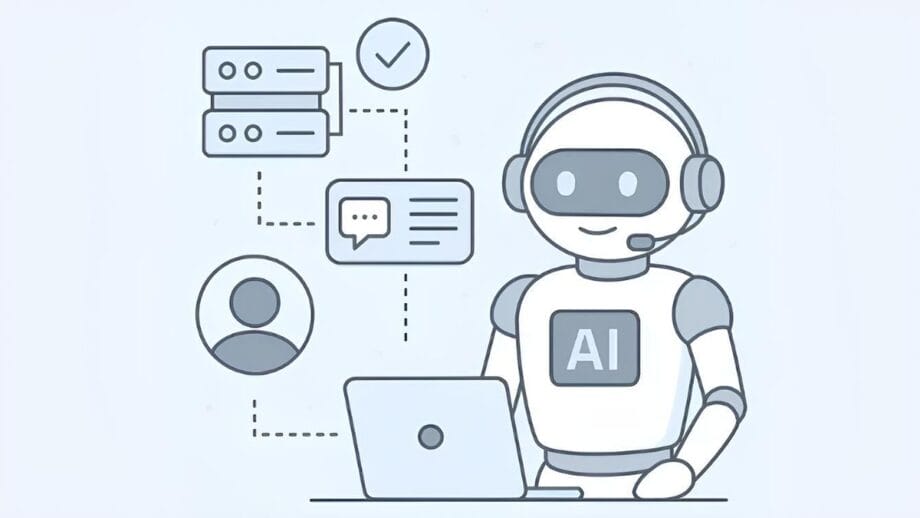
Enterprise AI agents are autonomous systems that pursue a goal, select and invoke tools, interact with business systems, and adapt to context. That is what sets them apart from chatbots and ordinary automation. A chatbot answers within a single conversation. A scripted automation follows a fixed path. An agent plans multiple steps, independently interacts with external systems, and maintains state across tasks.
That autonomy is where the value lies and where the governance requirements come from. An agent that can update a CRM record, open a pull request, or issue a refund is doing real work with real consequences, so the controls around it have to be real, too. The rest of this guide is about making that autonomy safe enough to run in production.
Deployment Models for Enterprise Agents
“Organizations can spend time and resources building and refining agents, but those efforts have little impact until the agents are integrated into everyday workflows.”IBM
There is no single right way to deploy agents. Three models cover most needs, and teams often use multiple models.
Pre-built connectors are the fastest path. When an agent needs to work with common tools such as Salesforce, GitHub, Slack, or a database, a ready-made connector handles authentication and API details, so you do not need to write integration code. This is the right choice for early deployments that need a quick, measurable win.
Custom tool servers handle specialized cases. When a workflow depends on an internal system, you expose it as a tool the agent can call, ideally without rewriting the service. Sandboxed execution and input/output inspection keep those custom tools from becoming a soft spot.
Role-based bundles package everything for a team or use case. Instead of configuring tools, access rules, and credentials one by one, you group them into a single unit tied to a role, with its own tool list and audit trail. This keeps configuration manageable as the number of agents grows.
Governing the Agent Workforce
Governance is easier to design before agents scale than to retrofit afterward. The core idea is to treat each agent as a security principal with explicit permissions, rather than letting it inherit its creator’s access.
In practice, that means a few things. Each agent has its own persistent identity with scoped credentials that rotate independently of any human. Policy is enforced at runtime, so an unauthorized action is blocked before it runs, not flagged afterward. High-impact steps route through a human when the decision warrants it. And adding a new upstream tool requires approval rather than happening silently.
This is also where attribution comes from. When every agent has its own identity, you can tell which agent took which action, which is the foundation for both incident response and compliance. Shared service accounts erase that line and should be avoided.
Securing the Agent Workforce
“Don’t let security concerns stall your innovation. Implement the zero-trust solution that integrates identity, access, and behavior to govern your AI workforce.”Cisco
Security for agents follows a zero-trust posture: authenticate and authorize every request and assume no default access. A few controls carry most of the weight.
Authentication should use per-agent credentials tied to your existing identity provider via OAuth2 or SAML, with per-agent and per-team rate limits to prevent runaway usage and costs. Access control should be granular enough to allow a database read while blocking a write, or to allow an agent to send a message without creating channels. Data should be encrypted in transit and at rest, including stored credentials and logs, so a leak at one layer does not expose everything.
The point of this layer is not to lock agents down to the point of being useless. It is to give each agent exactly the reach its job requires, so a mistake or compromise stays contained.

Observability and Scaling
The move from pilot to production is a shift from stability to constant change, and observability is what makes that survivable. Traditional metrics like CPU and latency are not enough. For agents, you want task completion rate, escalation frequency, tool-call accuracy, and cost per interaction, because those tell you whether the agent is doing its job, not just whether the server is up.
Scaling introduces its own failure mode. A handful of agents can be debugged by hand. Once you are running a couple dozen, manual debugging stops working, and you need centralized monitoring and a registry that records who owns each agent. Establish behavioral baselines in the first week to catch drift before it reaches users, and standardize agent deployment so growth does not turn into chaos. Decommissioning belongs on the list, too: define how agents are retired, or you accumulate zombie agents that keep running with no owner.
Integrating with Existing Systems
“The hard part isn’t building the agent – it’s threading it through legacy locks, quirky permission models, and brittle data rules without breaking anything.”TrueFoundry
The hardest part of enterprise agents is usually the last mile: providing an agent with secure, governed access to internal systems without building a custom integration for each one. Legacy systems, permission models, and data-handling rules all get in the way.
This is where a standard protocol helps. Connecting agents to tools over MCP gives you a single, consistent way to expose systems, apply access policies, and log every call, rather than a different pattern for each integration. Permission inheritance keeps agents within user-level boundaries, preventing them from quietly escalating their own access. A good vendor provides that layer, registering internal and third-party tools behind OAuth2 and RBAC so every tool call is governed and recorded.
How a Good Vendor Runs Enterprise Agents
We built the platform so that deploying, governing, and scaling agents can all happen in one place. The Agent Gateway gives each agent its own identity, scoped permissions, and monitoring, enabling agents to work alongside people without inheriting anyone’s access. It sits atop the same control plane that governs models and tools, so a single set of policies covers the entire stack.
That stack is built for production scale. The AI Gateway routes requests across 1,600+ models through a single API, adds roughly 3-4 ms of overhead so it can sit on the hot path, and has handled more than 10 billion requests per month at 99.99% uptime, with smart routing that cuts token spend by up to 30%.
Every request is instrumented, so you get token usage, latency, and request-level traces across agents and tools, plus RBAC, SSO, guardrails, and audit logging. Because it runs in your VPC, on-prem, or air-gapped with SOC 2, HIPAA, and GDPR support, regulated teams can scale agents without sending data outside their boundary.
Frequently Asked Questions
What are enterprise AI agents?
Enterprise AI agents are autonomous systems that reason toward a goal, call tools, interact with business systems, and adapt to context. Unlike chatbots, which respond within a single conversation, agents plan multi-step work, access external systems independently, and maintain state across tasks, making them useful and necessary for governance.
How do I choose a deployment model for enterprise agents?
Use pre-built connectors when the agent works with common SaaS tools, and you want a fast, measurable win. Use custom tool servers for specialized internal workflows and role-based bundles to package tools, access, and policies by team. Most organizations combine all three as they grow.
How should we handle agent retirement and decommissioning?
Define retirement criteria up front so agents do not continue running without oversight. A retirement workflow should revoke credentials, archive audit logs, remove access, and reassign ownership. Teams often overlook this during the first deployment, which is exactly how zombie agents accumulate.
Conclusion

Enterprise AI agents are not just bigger chatbots. They are autonomous systems that operate within your business and reach production only when deployment, governance, and observability are managed together. Give each agent an identity, scope its access, monitor its activity, and plan for its retirement. That is the difference between a pilot that impresses and a workforce that runs.


