Transforming the WooCommerce Dashboard: A Guide to Customization
Upon delving into the customization options for the customer dashboard in WooCommerce, one quickly discerns the inherent rigidity of the default configuration. It often feels as though WooCommerce anticipates uniformity across all stores—a premise that is seldom realized in practice.
Consequently, creating a tailored dashboard emerges as a subtle yet significant enhancement, allowing the account interface to resonate with the essence of the store itself, rather than appearing as a mere obligatory feature.
Each interaction with the WooCommerce customization of my account page reveals additional facets of the dashboard that stand to benefit from personalized oversight, particularly concerning menu items, which often demand careful attention.
A custom dashboard transcends mere aesthetics; it facilitates smoother navigation, enabling customers to arrive precisely where needed without ambiguity surrounding which tab conceals specific information.
When the dashboard mirrors the personality and architecture of the store, it fosters a sense of belonging among customers—a result that the standard WooCommerce layout fails to achieve.
The Significance of Crafting a Personalized Dashboard Layout
The dashboard represents the initial interface customers encounter upon logging in, thereby establishing the overarching impression. A generic appearance may lead customers to infer a uniform experience awaits them.
However, crafting one’s own dashboard empowers store owners to prioritize content, designate key items for immediate visibility, and discreetly conceal less pertinent information.
This autonomy serves as my impetus to explore customizing my account page WooCommerce functionalities more diligently; the pronounced distinction in the customer experience post-optimization renders a return to the default layout virtually untenable.
A fully customized dashboard allows emphasis on the areas of greatest customer engagement—such as orders, subscriptions, or unique offerings related to the store. Often, the illogical placement of default panels only becomes apparent through rearrangement.
Following such adjustments, the navigation feels considerably more intuitive for customers, ultimately decreasing the necessity for support interactions.
Editable Menu Items: Their Importance Cannot Be Overstated
While the default menu items in WooCommerce suffice for standard operations, many store owners find themselves craving greater control.
Editable menus permit alterations to labels, reordering of items, and the ability to conceal rarely utilized sections, all while introducing new categories that resonate with the store’s offerings.
It’s remarkable how a simple alteration in wording or a repositioned tab can ameliorate the confusion frequently experienced by customers, especially in more intricate retail environments.
The advent of editable menu items dismantles the constraints of the static framework provided by WooCommerce.
If your store necessitates special instructions for bespoke orders or dedicated segments for ongoing services, a tailored tab can be incorporated and positioned where customers expect it. This process resembles rearranging furniture in an ill-conceived layout; suddenly, everything aligns harmoniously.
Designing a Dashboard that Aligns with Customer Cognition
The most effective custom dashboards are those designed around the cognitive journey of customers, rather than the linear flow presumed by WooCommerce.
Achieving this alignment requires observation, as the dashboard should function as a shortcut to regularly accessed information. While it may necessitate some iterative experimentation, identifying pertinent sections often leads to a natural reorganization of the dashboard itself.
Curiously, customizing dashboards encourages the grouping of related items cohesively—orders alongside invoices, account details adjacent to addresses, and subscriptions linked with renewals.
Logical compartmentalization alleviates customer confusion, enabling a much more thoughtful user experience. In the wake of customization, one might find opportunities to introduce informational blocks or personalized messages within the dashboard, revealing areas ripe for improvement.
Enriching the Interface with Beneficial New Sections
The latitude to incorporate novel menu items invigorates the dashboard, rendering it dynamic rather than static. Some proprietors utilize these sections to disseminate guides or FAQs, while others leverage the space to display loyalty points or downloadable materials.
Instances abound where entrepreneurs have established tabs for tracking personalized orders, accessing premium content, or laying out next steps following a purchase.
Such additions imbue the dashboard with character. Customers cease to view the account area as a mere aggregation of links and begin to recognize it as a valuable resource. Moreover, as your store evolves, the flexibility to modify or expand these features remains perpetually accessible.
Enhancing Clarity Through Simplified Labels and Structure
One aspect often overlooked is the vagueness embedded in default WooCommerce labels across various stores. The possibility of editable menu items allows for renaming elements to better resonate with the tone and style of your offerings. Rather than a cold, impersonal “Orders” tab, consider “My Purchases.”
Similarly, renaming “Downloads” to “My Files” may seem trivial, yet customers perceive these changes, thereby enhancing their understanding of each tab’s function.
Simplification can also be achieved by eliminating menu items rarely utilized. A judicious reduction of superfluous options can prove to be the most effective method for streamlining navigation. If certain features lack relevance to your business model, their removal is warranted.
Aligning the Dashboard with Your Brand’s Aesthetic
Through engagement with multiple stores, it has become evident how transformative a custom dashboard can be for branding. When the account section reflects the character and organization of the shop, customers find themselves more inclined to explore and linger.
Adjustments to colors, phrasing, formatting, and overall tone contribute to a sense of coherence from the homepage to the user dashboard.
Some store owners even leverage this dashboard space for communication with customers, using it for notifications or reminders.
Once a layout is meticulously organized, opportunities arise to incorporate additional helpful features, whether relating to shipping updates, policy notices, or new product categories, establishing the dashboard as a vital communication hub.
Concluding Insights on Tailoring Your WooCommerce Dashboard
Implementing a fully customized dashboard replete with editable menu items might appear trivial until its engagement reveals profound benefits, rendering the default iteration an impractical consideration.
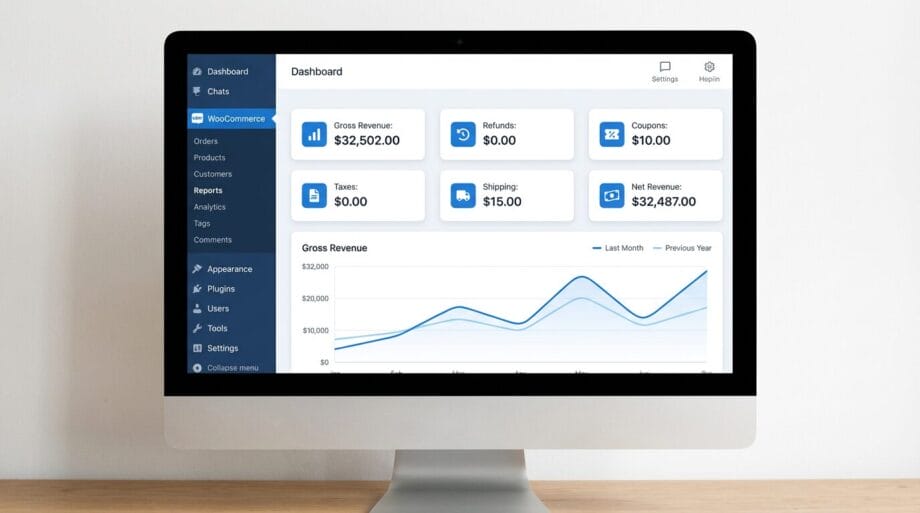
This level of customization empowers store owners to sculpt the account space according to customer expectations while enhancing control over the information presented.
Should your objectives include reducing ambiguity, refining navigation, and showcasing store features more thoughtfully, customizing the WooCommerce dashboard stands as one of the most pragmatic enhancements available.
Once you embark on this journey of clarification and reorganization, the resulting alignment with your store’s identity will become strikingly apparent.
This seemingly simple modification carries a remarkably deep impact, paving the way for a customer account area that naturally adapts and flourishes alongside your business.
Source link: Techbullion.com.