WhatsApp Introduces View-Once Text Messages for iPhone Beta Users
WhatsApp is augmenting its capabilities by rolling out view-once text messages to select beta testers on iPhone, a feature previously trialed on Android devices.
This new option provides users with a temporary text viewing experience, enhancing privacy and message control on Apple’s platform.
On 23 November, WABetaInfo divulged the rollout details, highlighting the presence of this feature in the iOS beta version 26.45.10.73, available through TestFlight.
Access remains strictly confined to a limited pool of testers, with expectations for broader availability in the weeks ahead.
This innovation enables recipients to read messages within a dedicated viewing screen. Upon exiting this screen, the content becomes inaccessible.
The feature is not yet universally available to all iPhone users, and reports do not specify when it will transition into the standard App Store version.
Expanding WhatsApp’s View-Once Functionality
WhatsApp has previously introduced one-time viewing options for images, videos, and voice messages. WABetaInfo’s findings indicate that the iPhone beta adapts this concept to textual messages.
Unlike standard messages that remain visible in the conversation, the recipient must tap the bubble of the view-once text to engage with the reading interface, which presents the limitations of this feature. After exiting the viewing mode, an opened marker replaces the original message in the chat.
According to WABetaInfo, the sender is notified when the message has been accessed; however, once read, the text is no longer retrievable by either party.
This advancement follows the function’s testing in the Android beta version 2.26.45.6, marking its debut on iOS.
Restrictions on Copying and Screen Capture
The iPhone implementation reported thus far prevents users from copying, forwarding, taking screenshots, or recording screens while the view-once text is visible. Attempting to hold down on the message does not invoke the typical action menu.
These constraints are enforced within the application, yet they do not guarantee that the information remains unreciprocated. Recipients can still utilize external devices to capture the screen or memorize the content.
AndroidPure’s coverage underscores this fact, while WhatsApp’s existing guidelines caution against the use of external cameras for capturing view-once media.
Currently, the company’s help section elaborates on the features for images, videos, and voice messages, but it should not be misconstrued as an official announcement that the new text option has been universally implemented.
New Option in the Send Menu
As described by WABetaInfo, invoking the send button after drafting a message reveals a menu that includes options for scheduling and view-once messages.
By selecting view-once, the message is dispatched immediately, accompanied by a prompt above the typing area that clarifies the gesture once the feature is accessible to the account.
This operational distinction sets it apart from disappearing messages, which follow a predetermined timer for deletion rather than being contingent upon the recipient’s engagement with a single viewing.
The difference lies not only in the appearance of the message in the chat but also in the timing of access termination.
ETV Bharat corroborated WABetaInfo’s report on 23 November, noting the identical beta version and limited user availability. However, no assurances are provided that all testers will gain access to the build upon installation.
The latest beta rollout for WhatsApp on iPhone introduces one-time reading functionality for text messages, implementing stringent limits on saving and sharing within the app.
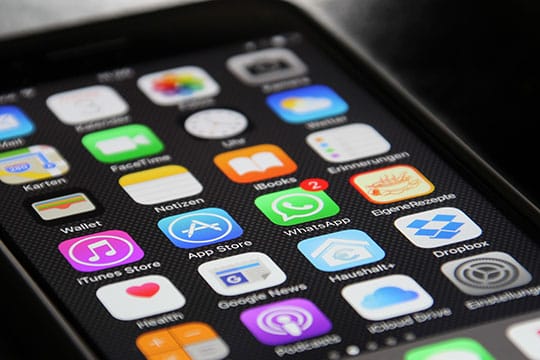
Currently, this feature remains a staged test rather than a full release. While its privacy measures significantly hinder straightforward copying, they cannot eradicate all possible methods for recipients to retain the information.
Source link: Businessupturn.com.