In the competitive realm of smart wearables, Amazfit emerges as a cost-effective alternative for individuals seeking comprehensive health tracking and fitness functionalities.
These devices not only boast impressive battery longevity but also provide an array of features that rival those of high-end models like the Apple Watch and Samsung Galaxy Watch, all at a considerably lower price point.
While users can benefit from features such as sleep tracking, heart rate monitoring, and AI-generated insights, several shortcomings may tarnish the overall Amazfit experience.
Despite the appealing price point, anticipating that every Amazfit model matches the finesse of more premium smartwatches could be unrealistic.
Budget models may suffer from insufficient storage capacities, and key functionalities that users have come to expect, such as navigation services or contactless payment options, may be either unavailable or require cumbersome workarounds.
Moreover, although Amazfit devices are marketed with promises of prolonged battery life and water-resistant technology, users should remain cognizant of certain caveats concerning these attributes.
This does not imply that Amazfit devices represent misguided purchases; rather, potential buyers should contemplate these facets when deliberating between an Amazfit model and alternatives from brands like Apple or Google.
The functional prowess of these watches can undoubtedly enhance one’s day-to-day life, yet careful consideration is imperative prior to finalizing any acquisition.
Watch Storage Insights
For those inclined to opt for economical smart wearables instead of those from the likes of Google or Apple, a plethora of Amazfit options awaits.
However, it is critical for prospective users to pay careful attention to the storage capacity of specific models. Devices such as the Amazfit Balance 3, which offers an ample 64GB, or the Amazfit Bip Max with its 4GB, provide sufficient space.
In stark contrast, the Amazfit Bip 6 may offer as little as 512MB, a storage deficiency likely to prove troublesome.
When models feature such scant storage, users essentially vie for space against the device’s operating system.
Limited storage often leads to the inability to store workout data, ultimately restricting users’ capability to track their fitness metrics effectively.
Even models with a more robust storage of 4GB may fall short when it comes time to upload desired music or offline maps, therefore posing another obstacle.
While this storage issue is not pervasive enough to warrant outright avoidance of Amazfit devices, it is wise to verify the storage specifics prior to making a purchase.
If you remain interested in acquiring an Amazfit watch, conducting thorough research to ascertain that the available storage aligns with your requirements is prudent.
Additionally, utilizing the Watch Storage Space app available in Amazfit’s Zepp Store could assist in better managing your storage.
Challenges with Navigation Apps
For those accustomed to utilizing Apple Watches or Android smartwatches equipped with Wear OS, accessing popular navigation applications such as Apple Maps or Google Maps is generally an uncomplicated endeavor.
However, securing turn-by-turn navigation on an Amazfit device may not yield the same ease. Should users desire map notifications on their Amazfit watches, they might find themselves needing to upload route files for outdoor ventures, employ third-party applications, or mirror navigation alerts, contingent upon the specific model in use.
For users aspiring to receive turn-by-turn navigation via Google Maps, modifications to profile settings (Zepp app > Profile > Your Watch > App Alerts > Enable Google Maps notifications), adjustments to app notifications (Zepp app > Devices > [your device] > Notifications and Reminders > App Notifications), or reliance on third-party applications on select models may be necessary.
Such workaround solutions can prove beneficial; however, users should be prepared to forego the official Waze app, reinforcing the necessity for thorough research into what each Amazfit device supports.
Even when utilizing these alternatives, the user experience may fall below expectations, not paralleling the seamless integration found in official applications on devices like the Apple Watch or Samsung Galaxy Watch.
Moreover, it is crucial to confirm that the Amazfit model in question can accommodate such options. For users primarily interested in workout analytics and health metrics, these limitations may not pose significant concerns, but enthusiasts seeking a fully-integrated smartwatch experience ought to be aware.
Contactless Payment Limitations
This analysis will not revolve exclusively around major players like Google and Apple; nevertheless, the absence of Google and Apple Pay on Amazfit smartwatches may prove inconvenient for certain users.
For those whose primary use of the device is fitness-related, the lack of tap-to-pay functionality might not be overly distressing.
However, they could find themselves missing out on some subtle yet advantageous features associated with options like Apple Pay.
Amazfit does offer Zepp Pay, which permits users to link up to eight bank cards to their smartwatch simultaneously. Unfortunately, this service is not universally accessible, with U.S. users currently unable to utilize it.
Additional complications arise, as specific features must be activated, such as the off-wrist lock functionality and passcodes for secure wearable operations.
Furthermore, Zepp Pay does not support every banking institution, leaving users in need of supplementary wallet applications like Curve in order to facilitate transactions.
The establishment of contactless payment capabilities via Amazfit may entail navigating several hurdles, including potential requirements for photographic identification.
Thus, the process of conducting contactless transactions on these devices can become burdened with complications, especially in regions where the feature is supported.
While some users may disregard the absence of such capabilities, others may find themselves lamenting their absence while seeking to make timely payments.
Battery Drain Issues
Before delving into this matter, it is pertinent to note that battery woes are not unique to Amazfit devices, yet they remain an inconvenience for users nonetheless.
Certain features, such as an always-on display or continuous health monitoring options, significantly impact the longevity of a device’s battery life.
The extent of one’s utilization of health tracking functionalities will ultimately affect battery durability.
Take the Amazfit Balance 3 as an example; the manufacturer claims an impressive battery life of up to 10 days under “heavy use.”
Nonetheless, even its product page acknowledges that actual battery performance varies considerably based on usage patterns.
While this issue is by no means confined to Amazfit, encountering users who report battery-related dilemmas is relatively simple. The company does suggest a series of strategies for users to enhance battery longevity.
To bolster battery performance, disabling the Always-On Display (when available) serves as one potential adjustment.
Users may also consider setting the “Lift wrist to view info” feature to Normal mode. Additionally, disabling certain health functionalities, such as Auto Stress Monitoring or Auto Blood Oxygen Monitoring, could yield further benefits.
Amazfit even offers a basic battery test, which involves restarting the device, fully charging it, disconnecting from any smartphones, and deactivating certain features. These may not guarantee complete effectiveness, but users certainly have avenues to explore.
Water Resistance Concerns
Numerous Amazfit models possess water-resistant capabilities that ostensibly make them suitable for aquatic endeavors.
For instance, the Amazfit Bip 6 and Active 2 (available in both Square and Round designs) boast a 5 ATM (atmospheres) water resistance rating, signifying their capacity to withstand pressure equivalent to depths of 50 meters.
Other models, including the T-Rex 3 Pro, Balance 2, and T-Rex 3, offer enhanced protection of up to 10 ATM, capable of enduring depths of 100 meters. Yet, the juxtaposition of advertised specifications and real-world performance can yield discrepancies.
Users frequently voice concerns online regarding water-related failures of their Amazfit devices, with some reporting that their Amazfit Balance 2 failed after seemingly benign swims. Even users of the T-Rex 3 Pro have encountered complications after brief immersions.
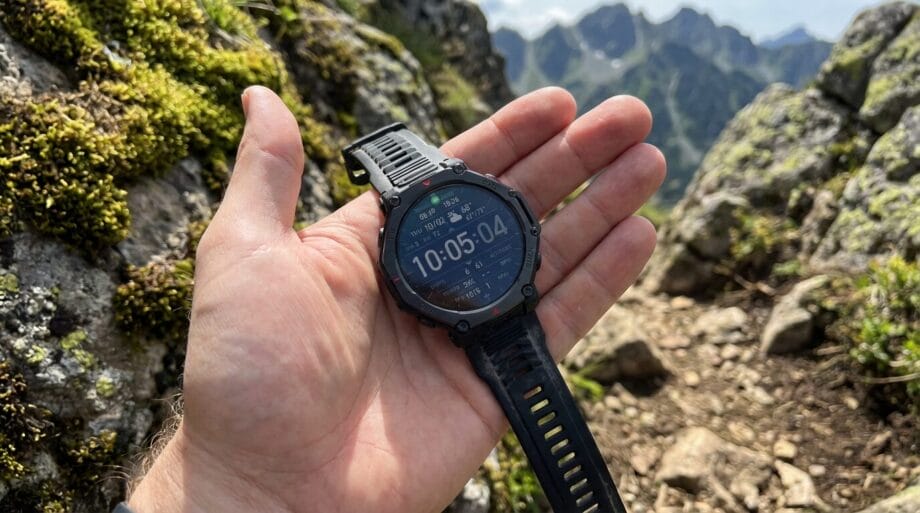
Though it is important to recognize that owners of other smartwatches, including the Apple Watch, share similar concerns over waterproofing, issues often stem from seal degradation over time.
Various external factors also contribute to this predicament, chiefly the integrity of rubber gaskets and seals.
Seals can naturally deteriorate as time progresses; additionally, environmental influences such as exposure to hot water (from showers or saunas) or chemicals beyond ordinary freshwater can further accelerate deterioration.
Interactions such as pressing buttons while the device is submerged in liquid may also compromise the watertight seals.
Users should review their specific Amazfit model’s guidelines, as routine maintenance could potentially alleviate these hazards.
Source link: Bgr.com.