Apple’s WWDC 2026 Unveils Key iOS 27 Features Amid AI Advancements
During the highly anticipated WWDC 2026 keynote, Apple predominantly emphasised its groundbreaking AI-enhanced Siri alongside significant Apple Intelligence upgrades.
Yet, tucked away from the limelight were several noteworthy enhancements to iOS 27, which, while not the focal point of the event, promise to refine the everyday iPhone experience profoundly.
Among the standout introductions is the capacity for full-screen widgets on the Home Screen. This feature allows users to expand widgets until they occupy the entirety of the screen.
Such a change facilitates immediate access to essential information, including calendar engagements, weather forecasts, news updates, and reminders.
Moreover, iOS 27 augments user autonomy over audio settings. The update permits distinct volume levels for alarms, timers, alerts, and system sounds. Previously, these sounds were intertwined, complicating the customisation process.
The ease of copying and pasting content is set to improve significantly. Mirroring the convenience of one-time password suggestions that appear above the keyboard, users will now notice a swift paste option whenever text or images are stored in the clipboard.
This innovation minimises the need for tedious manual tapping to transfer content across applications.
Enhancements to Weather, Messages, and Camera Applications
The Weather app is poised for a transformation, introducing a new Highlights section that underscores critical weather events anticipated in the coming days. Users will find it simpler to toggle between Conditions, Precipitation, and Wind views for comprehensive forecasts.
Customizability is also on the rise for the Messages app. Users can now opt to display a voice recording button, a dictation button, both, or neither.
Additionally, a new Drawing feature allows users to sketch notes, diagrams, or doodles seamlessly within conversations.
Photography aficionados may express appreciation for enhancements to the Camera app. Key controls, including depth settings, grid lines, and level indicators, are now more accessible, allowing for more precise photographic compositions.
Minor yet impactful quality-of-life improvements have also been rolled out. The emoji keyboard now boasts a scroll bar for swifter navigation, while the Timer interface features an updated slider when accessed via the Control Centre.
Privacy features have received a commendable upgrade as well. In the Find My app, users gain the ability to temporarily conceal their location from a specific individual for a designated timeframe without triggering notifications.
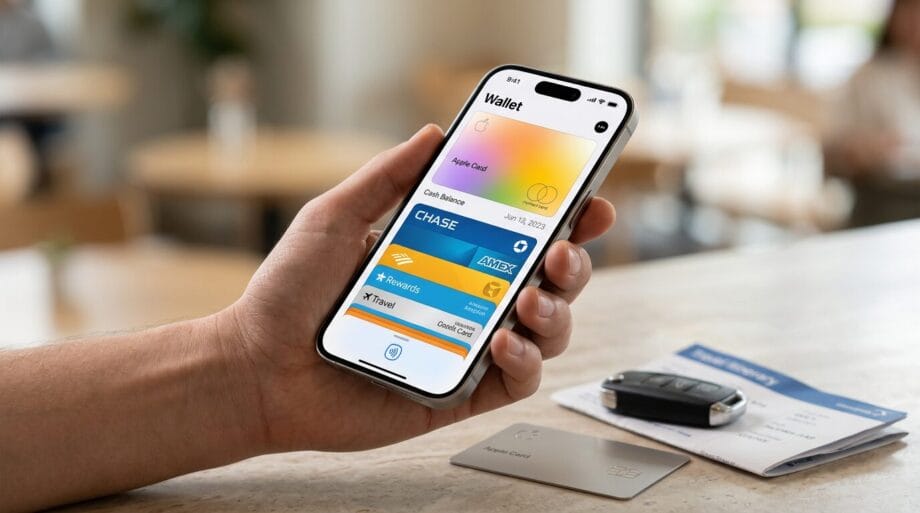
Concurrently, the Wallet app expands its functionality, enabling users to create customised passes, thus broadening its utility beyond mere tickets and boarding passes.
CarPlay has acquired a much-anticipated audio scrubbing feature, simplifying the process of skipping to particular segments within podcasts and audio tracks. Furthermore, manual iCloud syncing for files, photos, and health data is now introduced.
Lastly, the Calendar app has become more intuitive, now capable of recognising public holidays and prompting users to confirm whether they wish to retain existing alarms scheduled for those dates.
Source link: Indianexpress.com.